The import file must be in CSV format and contain seven columns.
The last column, "Notes," must be included, even though it will be empty. An example is attached.
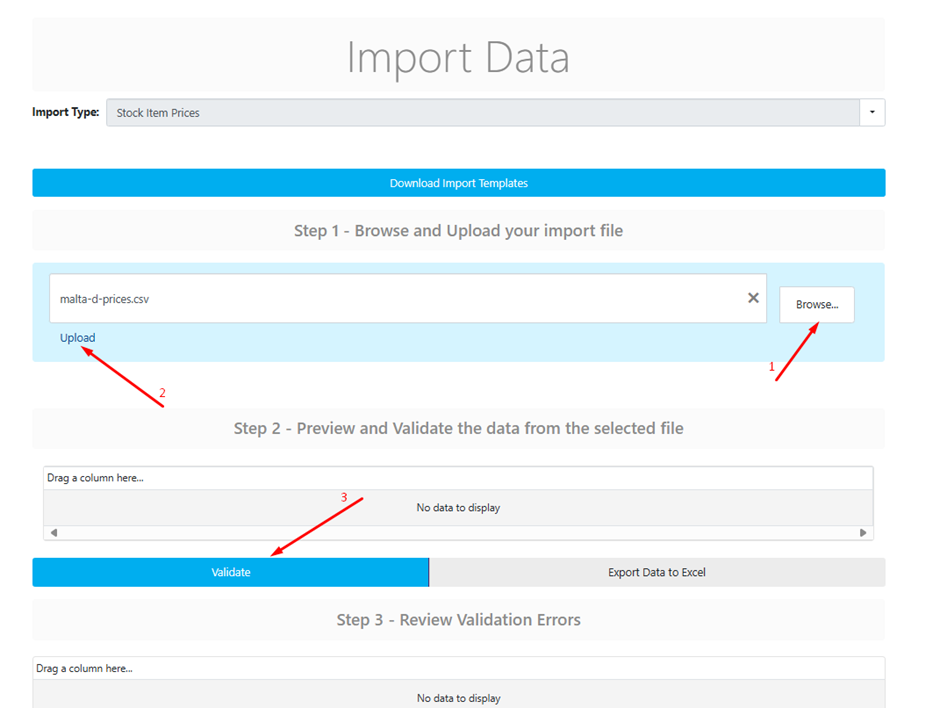
After creating table (reach out to Analytics team), Go to Import / Import Stock Item Prices in menu.
To import the file:
1. Create the table.
2. Navigate to the "Import" menu and select "Import Stock Item Prices."
3. Upload the file and click "Validate."
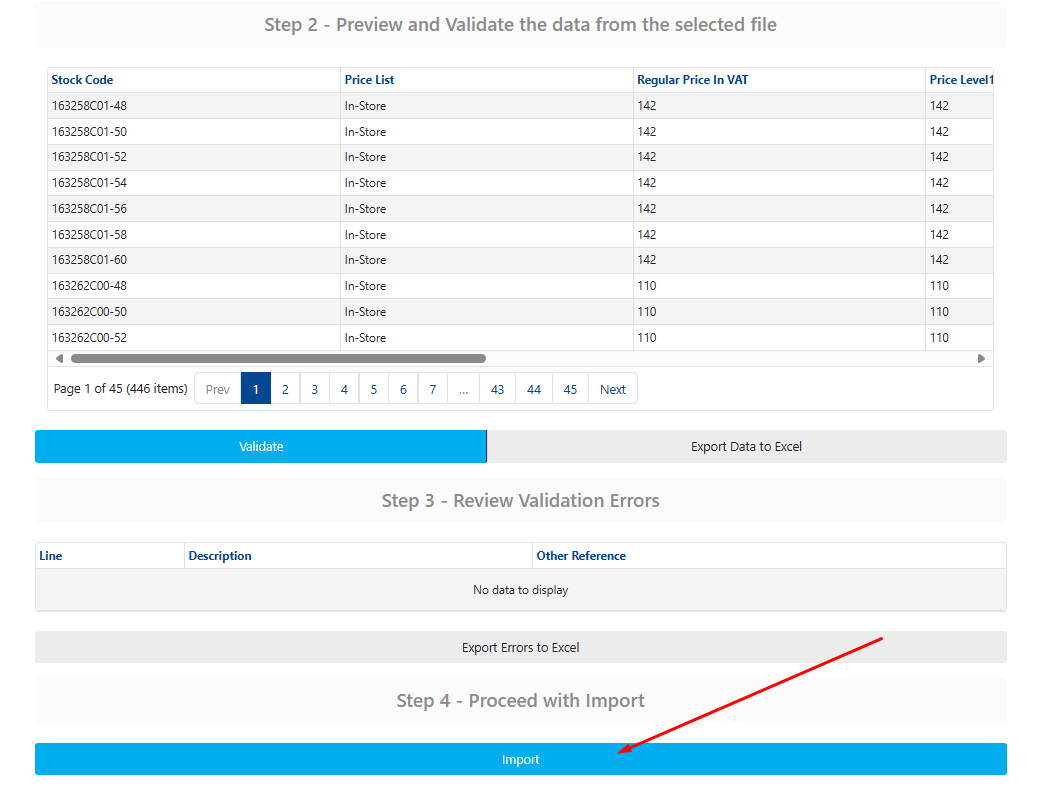
4. After validation, we should get green light in form of message:

5. And after that we click on Import at a bottom of page.
Was this article helpful?
That’s Great!
Thank you for your feedback
Sorry! We couldn't be helpful
Thank you for your feedback
Feedback sent
We appreciate your effort and will try to fix the article