If you want to check inventory please follow these steps:
1. Go to Reports - Backoffice reports - Inventory - Inventory Valuation
2. Fill in the filters as needed. Report Type should be detailed, and you can Group by Brand, so that your products are not separated by some criteria. You can change Location and date "Valuation as at" as you wish.
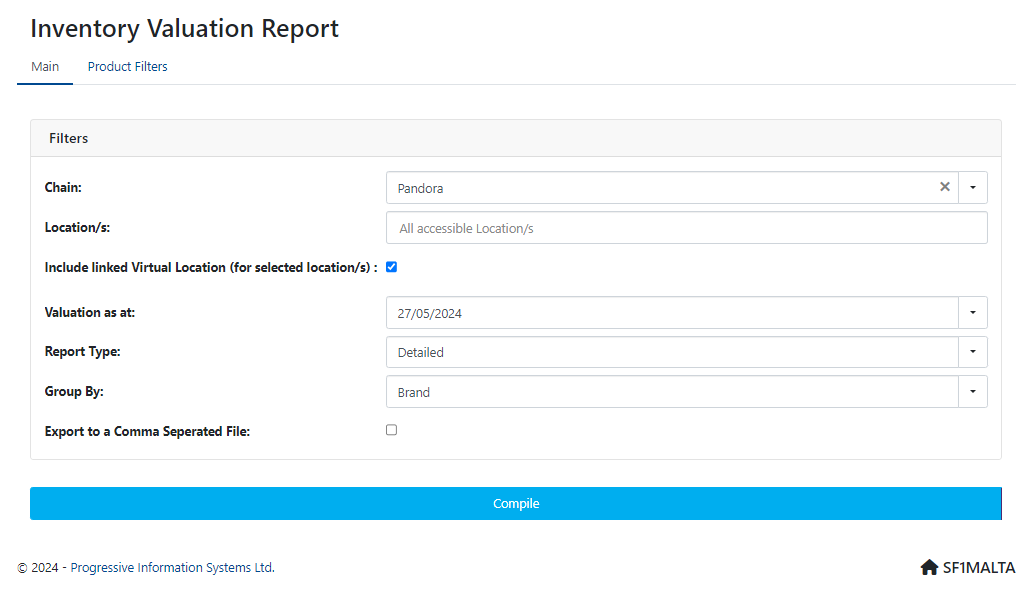
3. Go to Compile
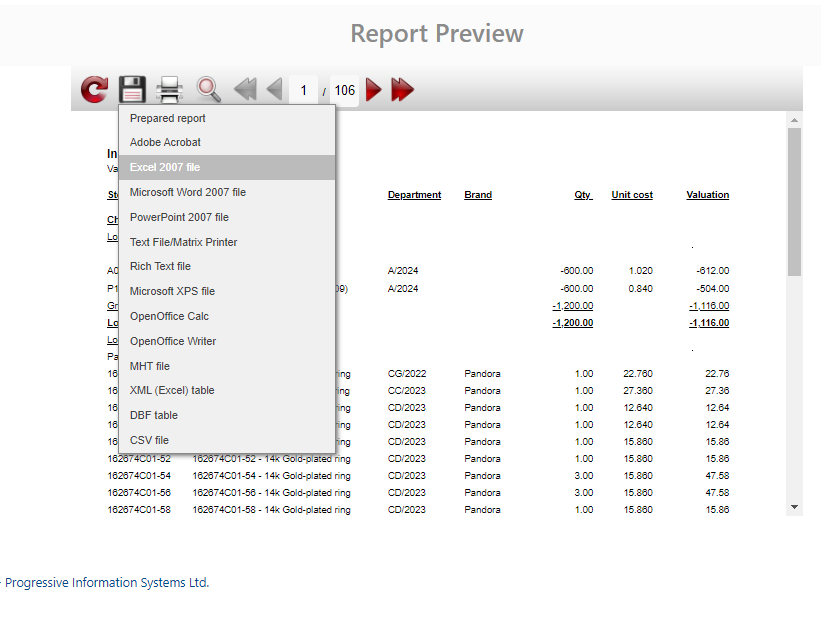
4. New window will open Report Preview of the first page of your report.
5. Go to "Save" icon and save in Excel 2007. This will save your report on your computer.
Was this article helpful?
That’s Great!
Thank you for your feedback
Sorry! We couldn't be helpful
Thank you for your feedback
Feedback sent
We appreciate your effort and will try to fix the article