To update the entire pricebook in Odoo for KSA do the following steps:
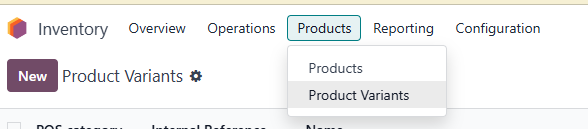
1. Go to Odoo - Inventory module - Product menu - Product Variants
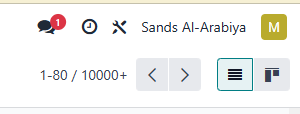
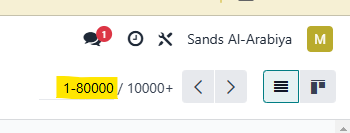
2. In the upper right corner of the screen change the product view so that you can see all the products in the system (type the zeros next to number 1-80 to 1-80000)
3. Go to Checkbox in the left top part of the screen to check all the products in the view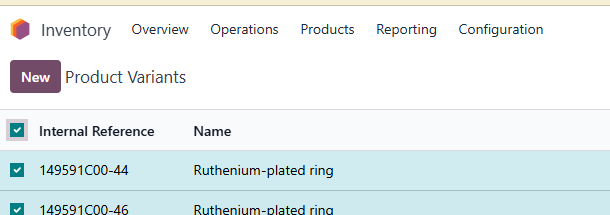
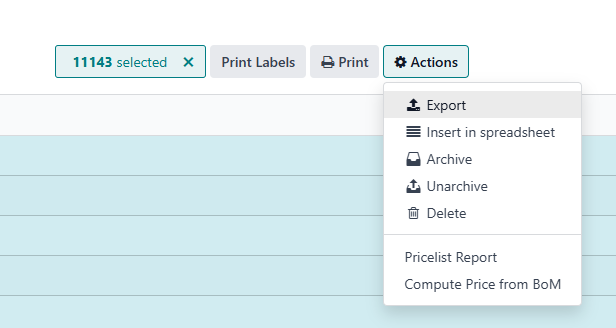
4. In the center top part of the screen go to Actions - Export
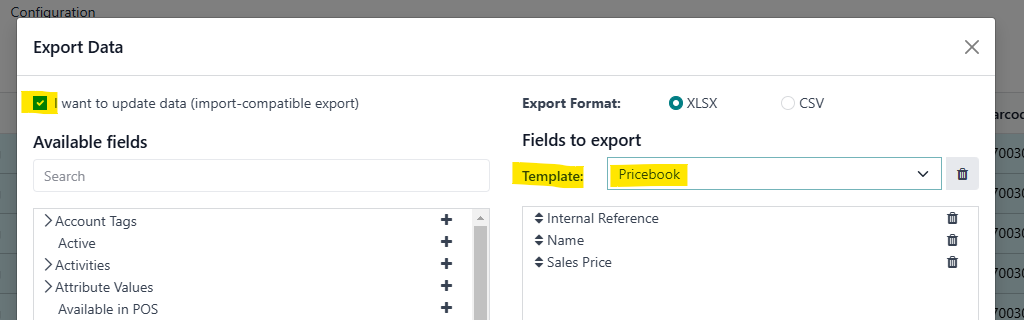
5. In the popup window choose Checkbox "I want to update data" and on Template choose from the dropdown menu "Pricebook". In the same popup click on Export, this will download the entire pricebook for KSA in Excel sheet, you can update the prices in Excel.
6. Once you have updated the prices in Excel by changing only the column D (lst_price) you can again import the prices in Odoo.
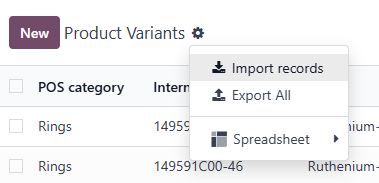
From the same place (Inventory module - Product menu - Product Variants), in the left upper corner go to cogwheel, then import records.
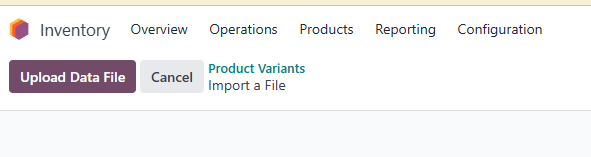
7. Go to Upload data file (or drag and drop a file to upload it)
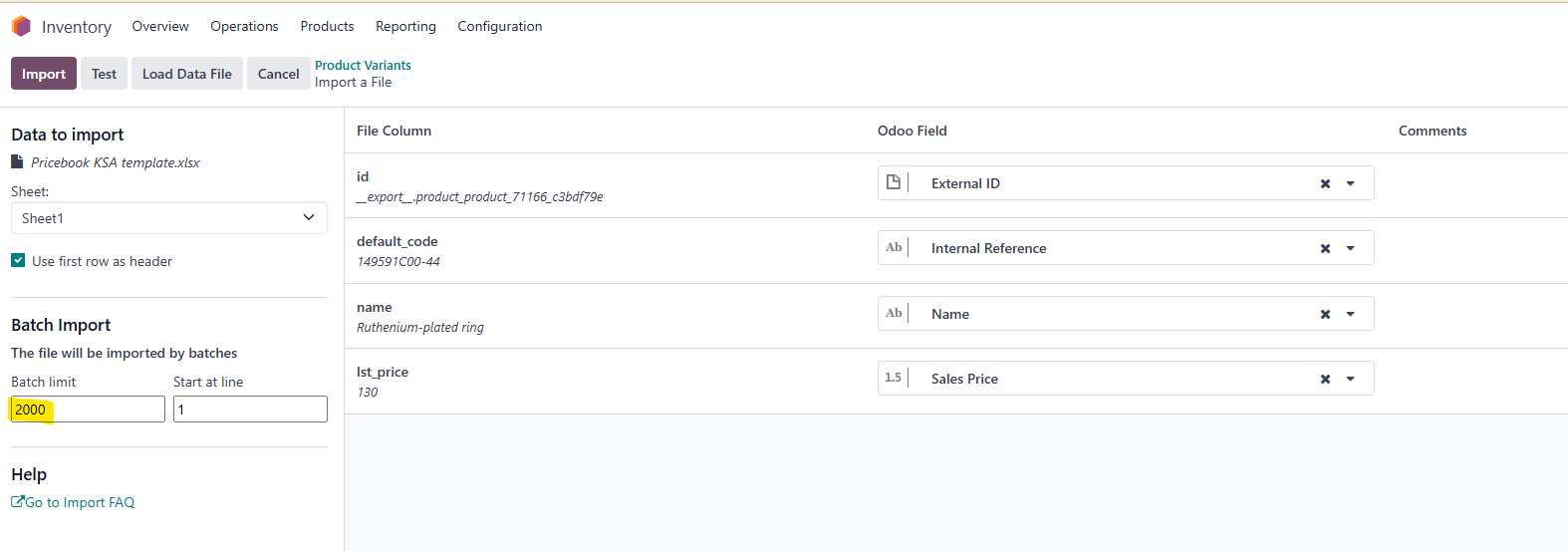
7. Increase the batch limit to the number of products and click on Import.
This will change all the prices in the system.
Was this article helpful?
That’s Great!
Thank you for your feedback
Sorry! We couldn't be helpful
Thank you for your feedback
Feedback sent
We appreciate your effort and will try to fix the article