If you want to put more products in the system (open codes for the new collection) follow these instructions.
If you only need one or two new products created in the system, or for any reason you want to do it manually, one by one, click HERE.
New products (Mass import)
1. Go to Import / Import Stock Items in menu;
2. For Action, choose Creating new items and updating existing ones
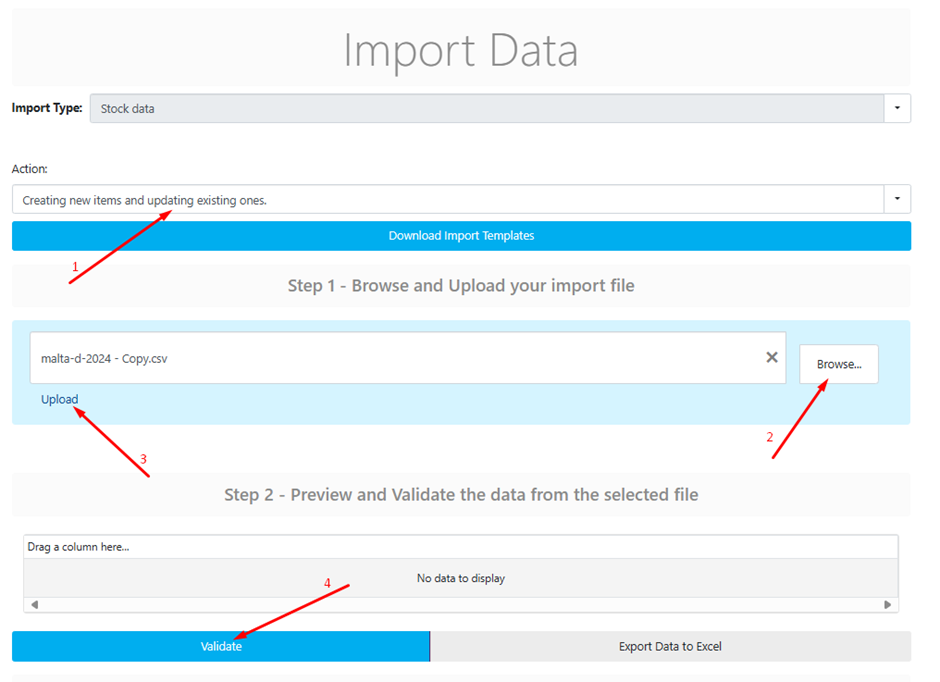
3. Upload your prepared file, and click Validate.
You will be presented with table of errors.
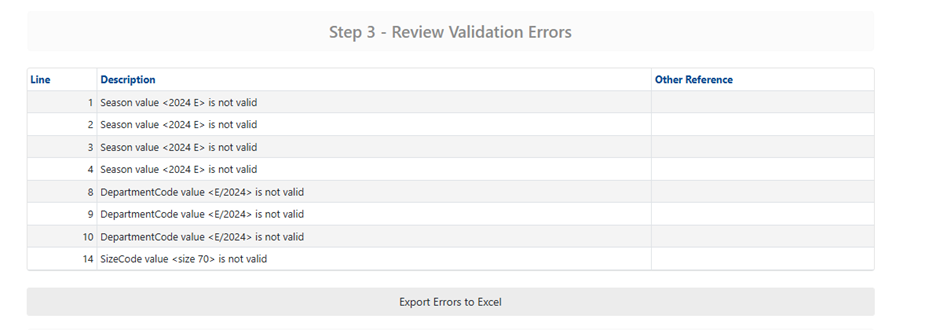
4. Most errors are due to missing attribute values, which can be added in Parameters in the menu. (Parameters - Stock Items (1/2, 2/2)
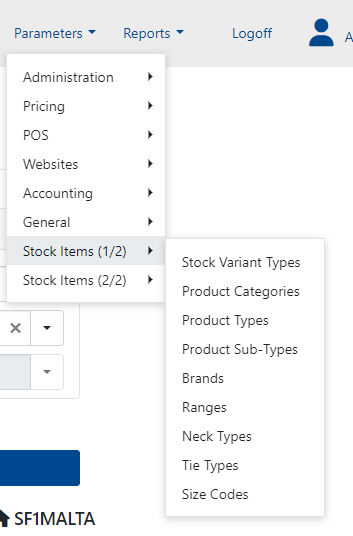
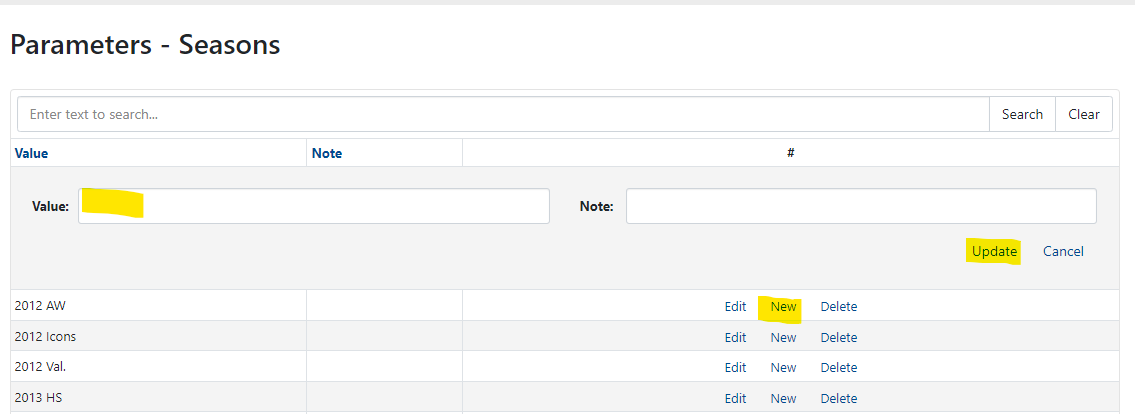
5 After adding the missing items in Parameters, validate the table again for errors. If there are no errors, click the Import button at the bottom of the page.
6. An example table is attached. Data is used from the Italian Master Data file.
Was this article helpful?
That’s Great!
Thank you for your feedback
Sorry! We couldn't be helpful
Thank you for your feedback
Feedback sent
We appreciate your effort and will try to fix the article