1. Enter Odoo and go to Sales
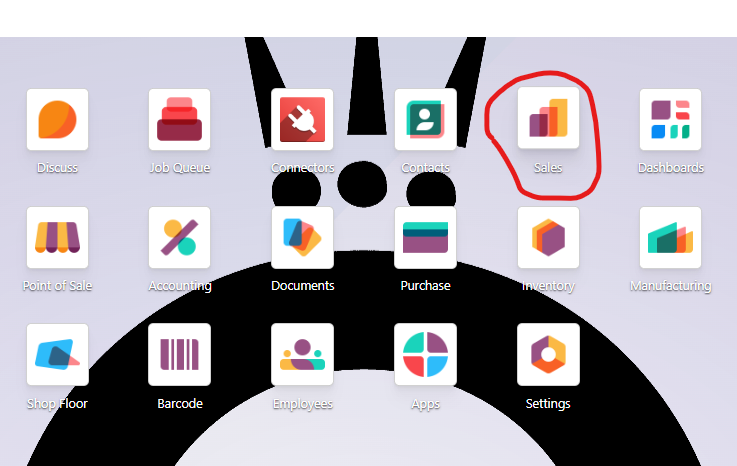
2. Remove "My quotations" filter

3. You will see all the orders here. Blue orders are unprocessed (status Quotation). Green are processed (status Sales order). Select all the orders you want to process with ✔ and then go to Actions - Confirm Quotations
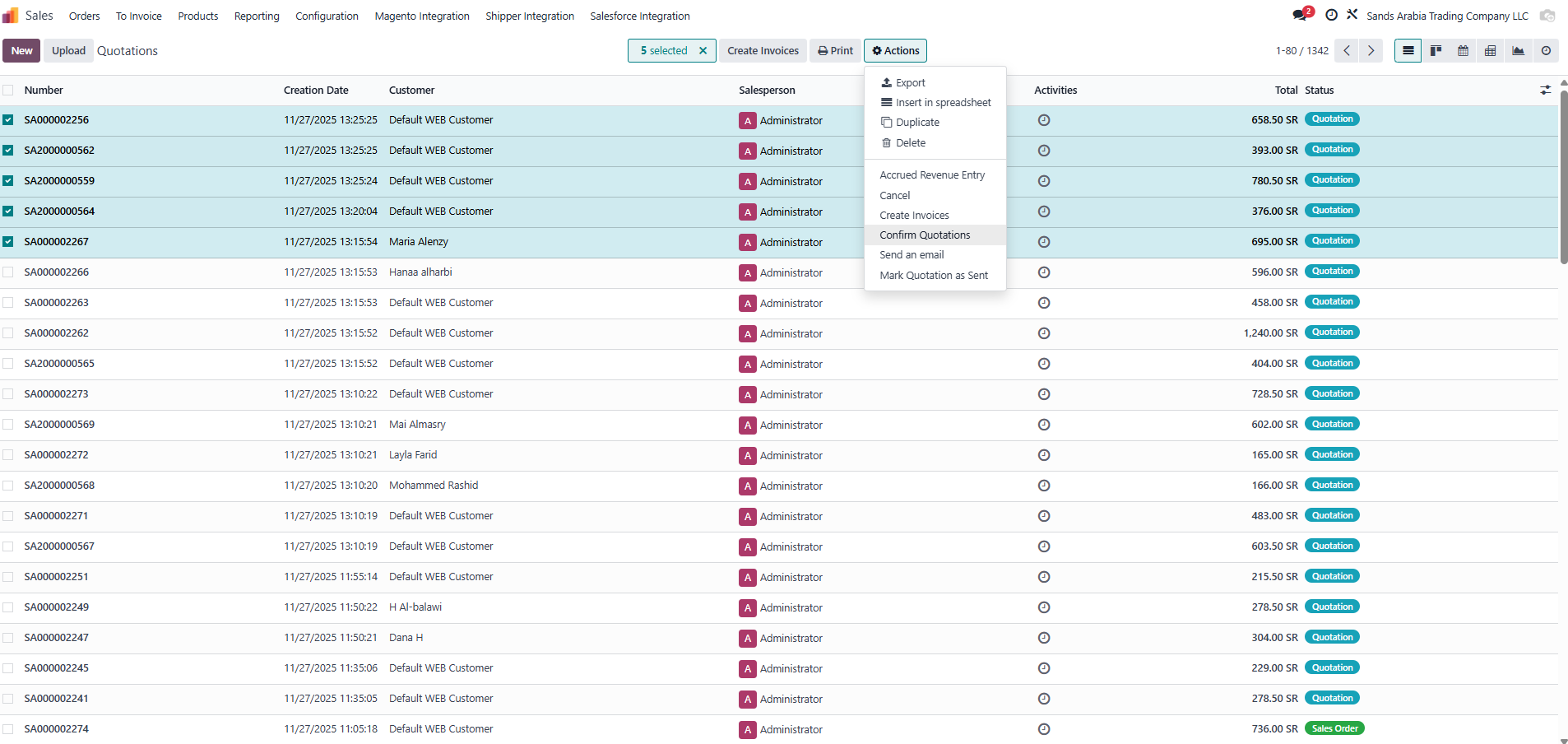
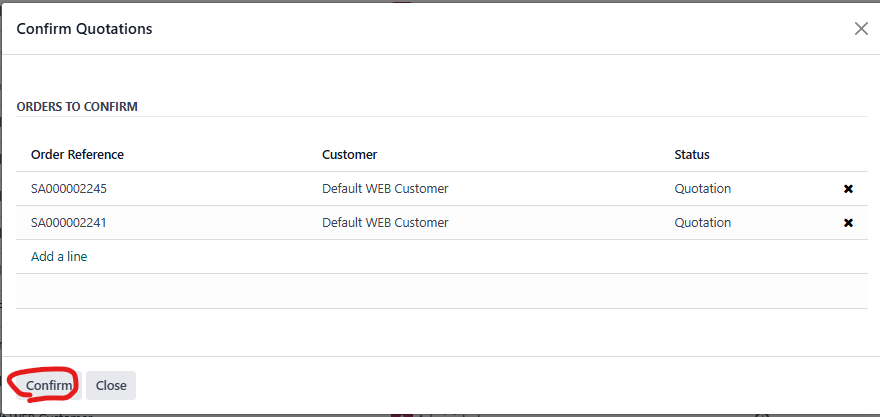
4. Go to Confirm
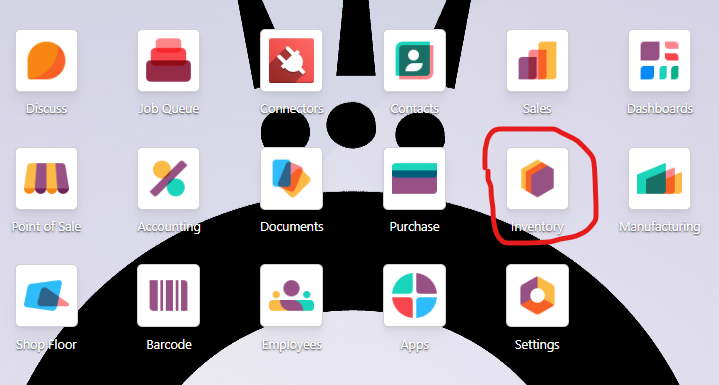
5. Go to main menu in Odoo and go to Inventory module.
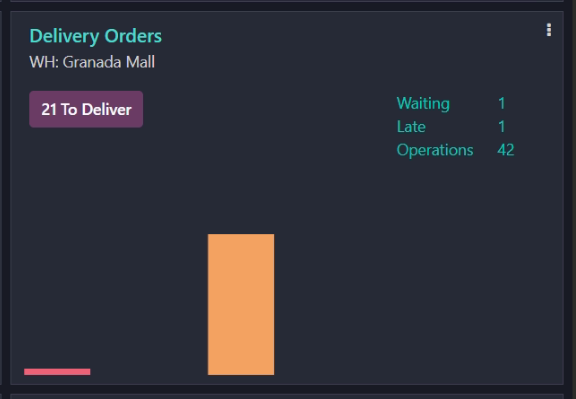
6. Find Delivery Orders WH: Granada Mall and click on Delivery orders:
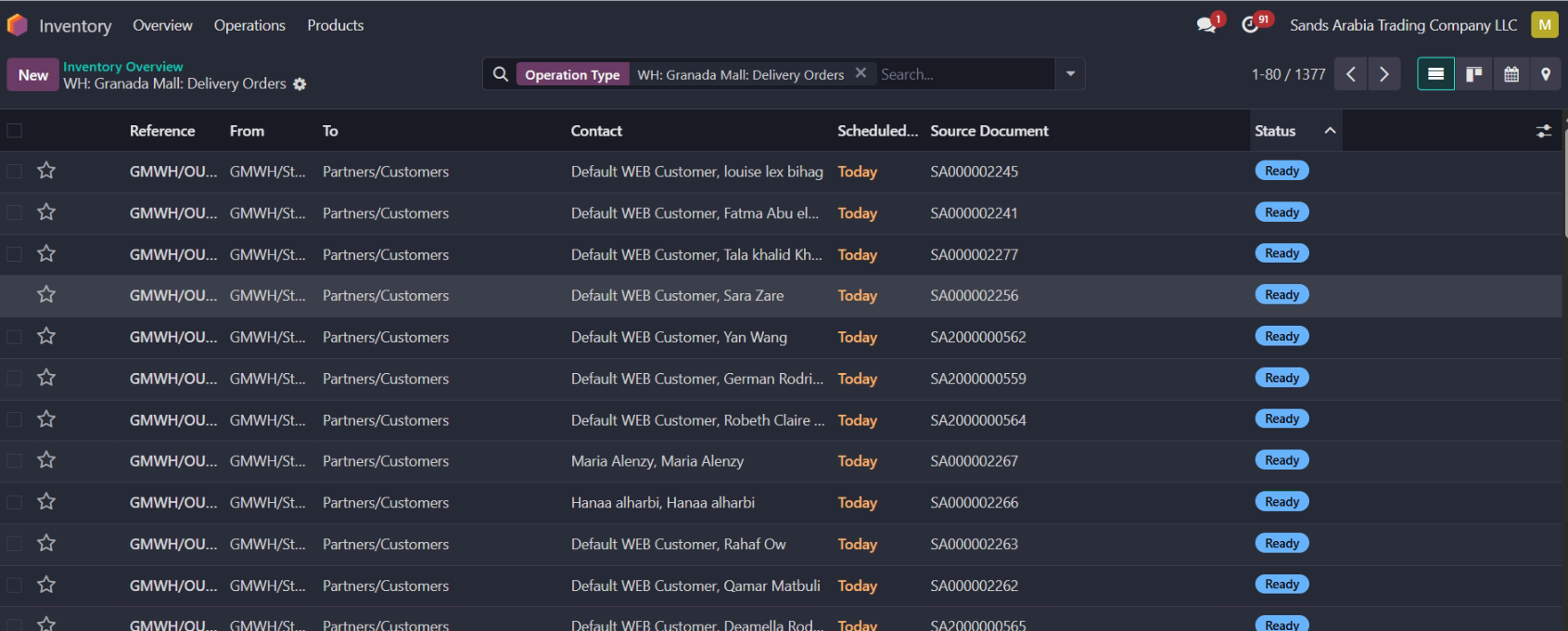
7. Click on Status tab to see all the orders in status Ready - the blue one.
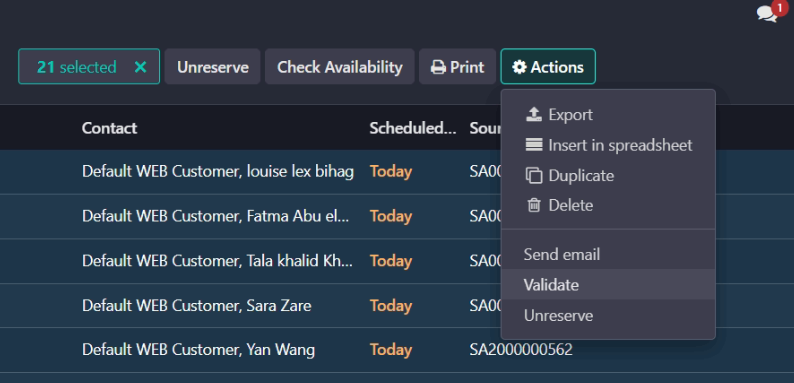
8. Select all the Delivery orders and go to Actions - Validate
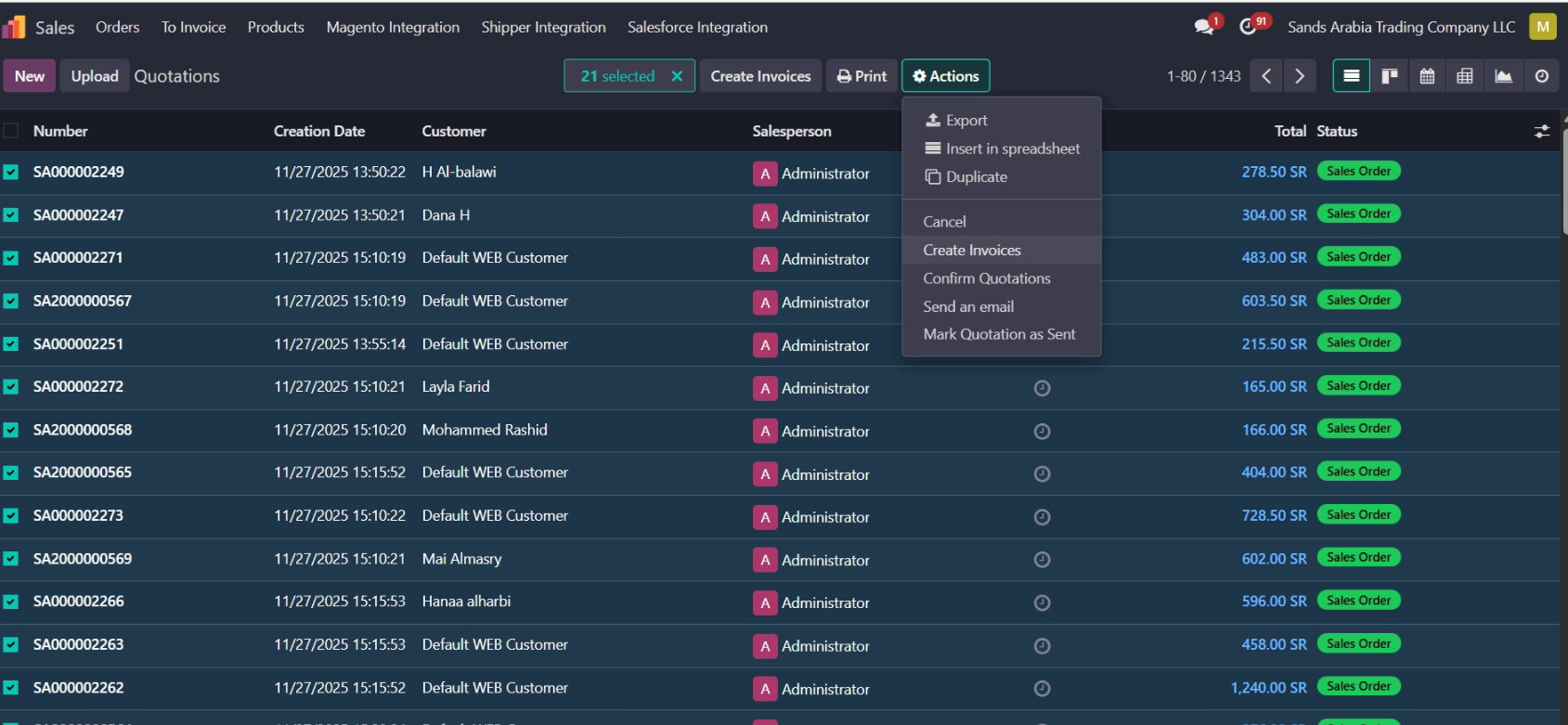
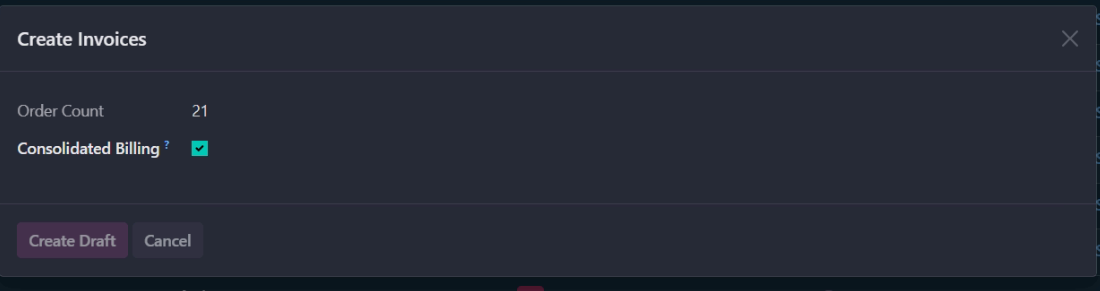
9. Again, go to Sales Module, remove my Quotations filter (as in septs 1 and 2). All the orders are with status "Sales order (green), and Total is blue. Select them all and go to Create Invoices.
10. Go to Create Draft.
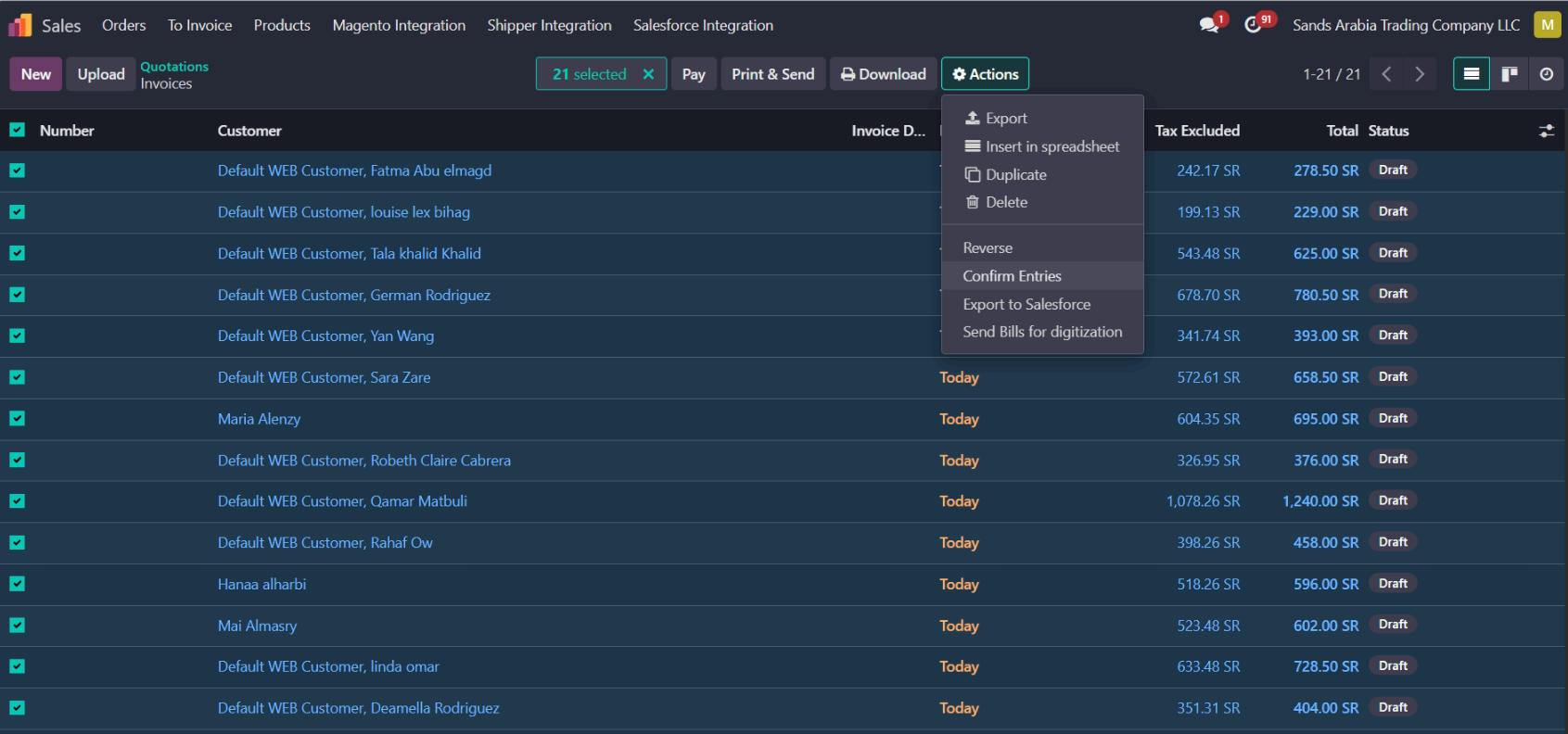
11. These are all our invoices. You can select them all, and go to Confirm Entries.
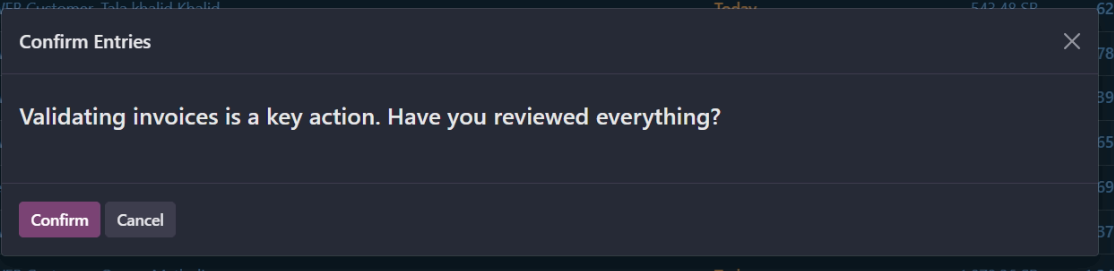
12. Confirm.
All the orders will be in Shipper in status Ready to Ship in a few minutes.
Was this article helpful?
That’s Great!
Thank you for your feedback
Sorry! We couldn't be helpful
Thank you for your feedback
Feedback sent
We appreciate your effort and will try to fix the article