1. Open Shipper application
2. Go to Fullfilment - Pending
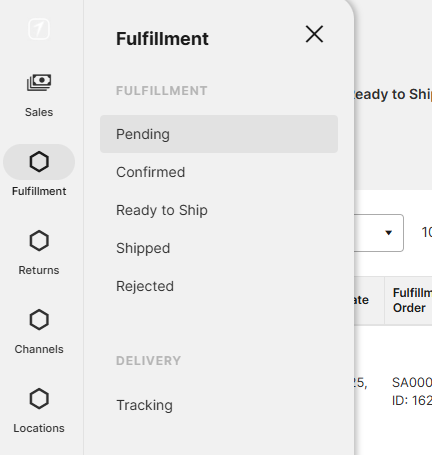
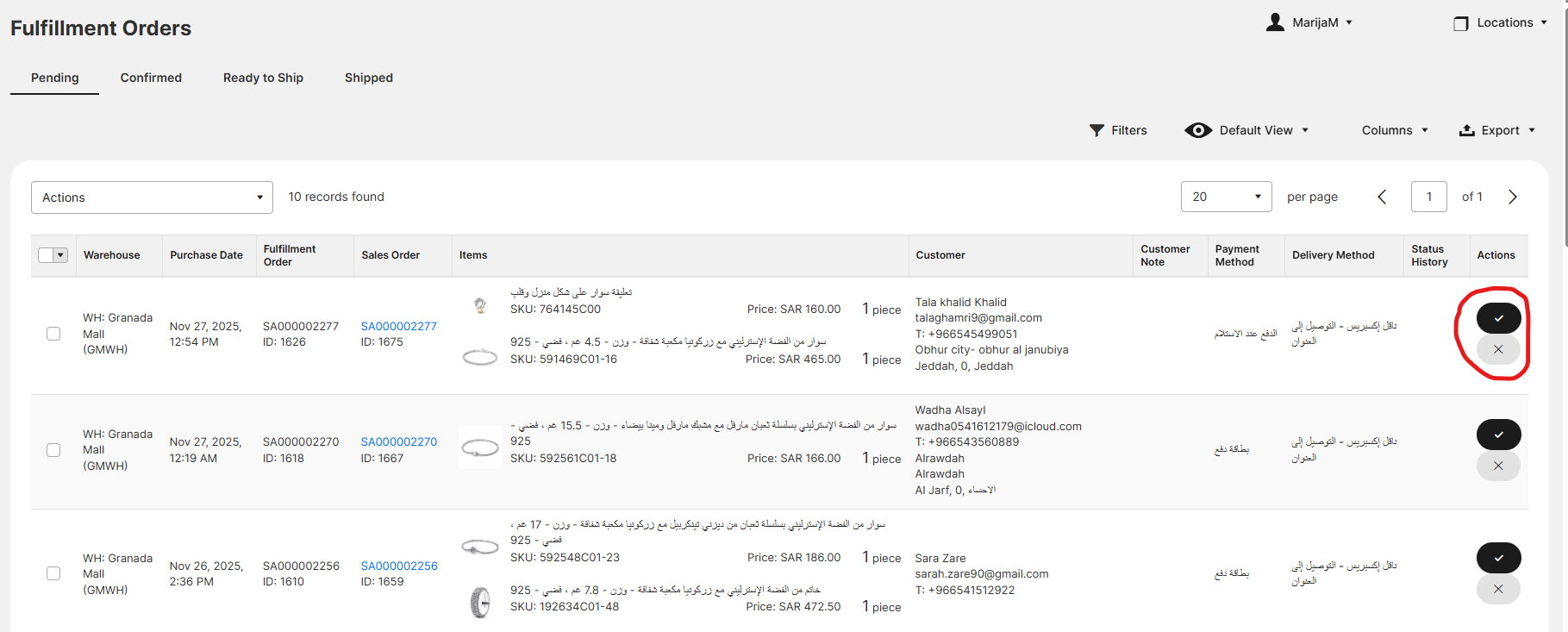
3. These are all unprocessed orders. Find the items in the store, and once you found them click on ✔ button
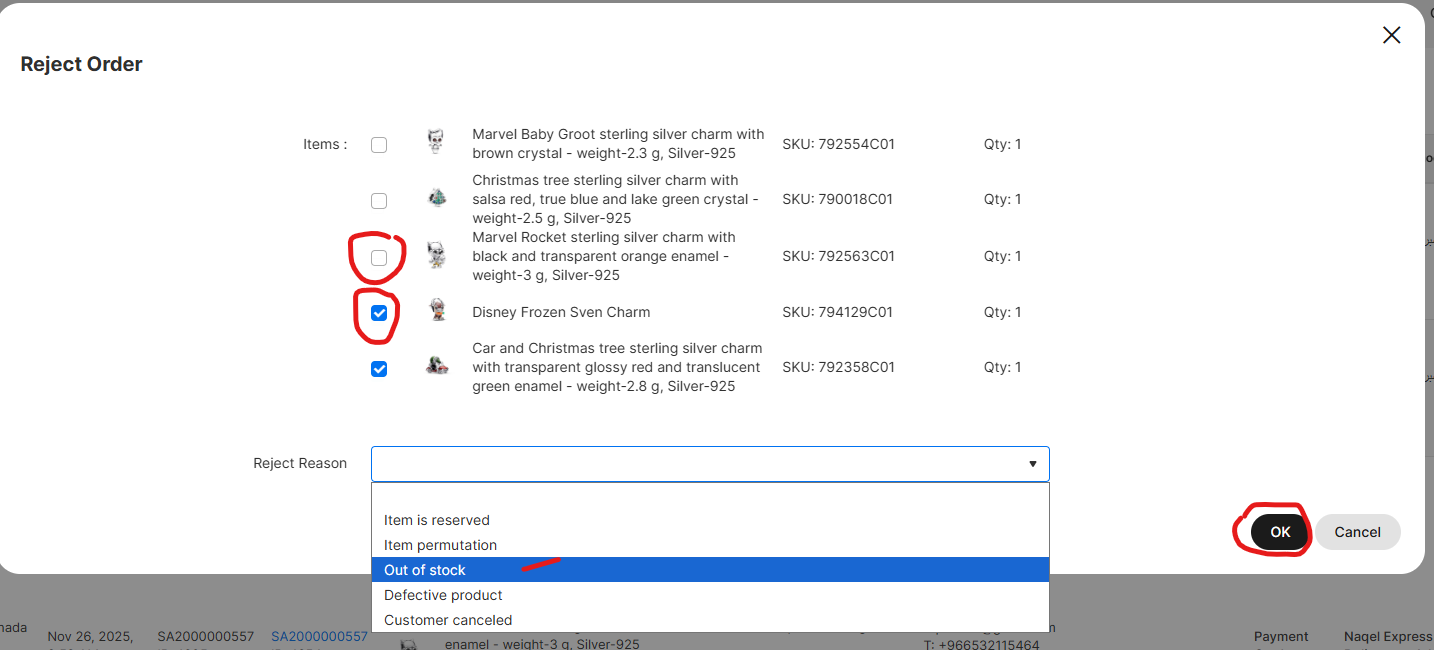
If you couldn't find them, or the item is damaged, or permutation, you can click X button.
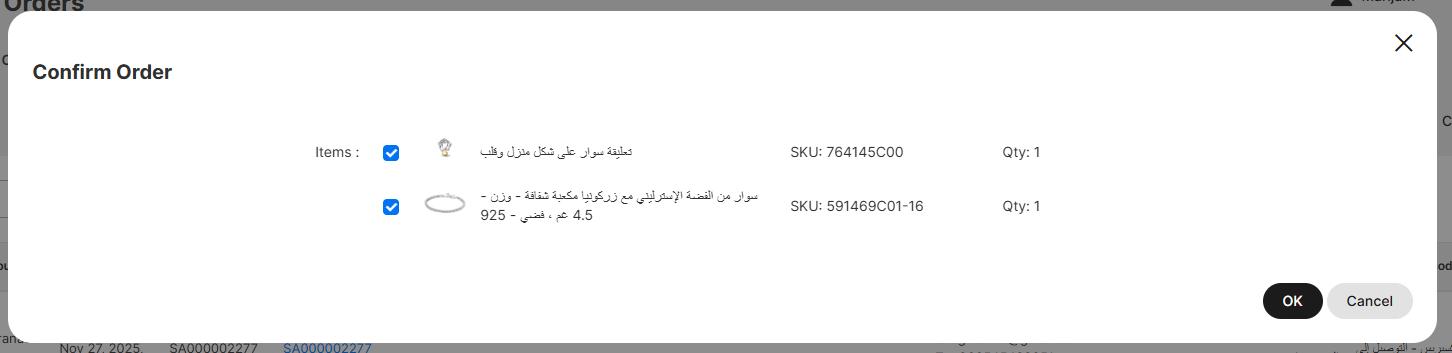
4.Confirm only the products you have and click OK
5. Reject only the products you don't have, select the reason why you don't have them, and click OK
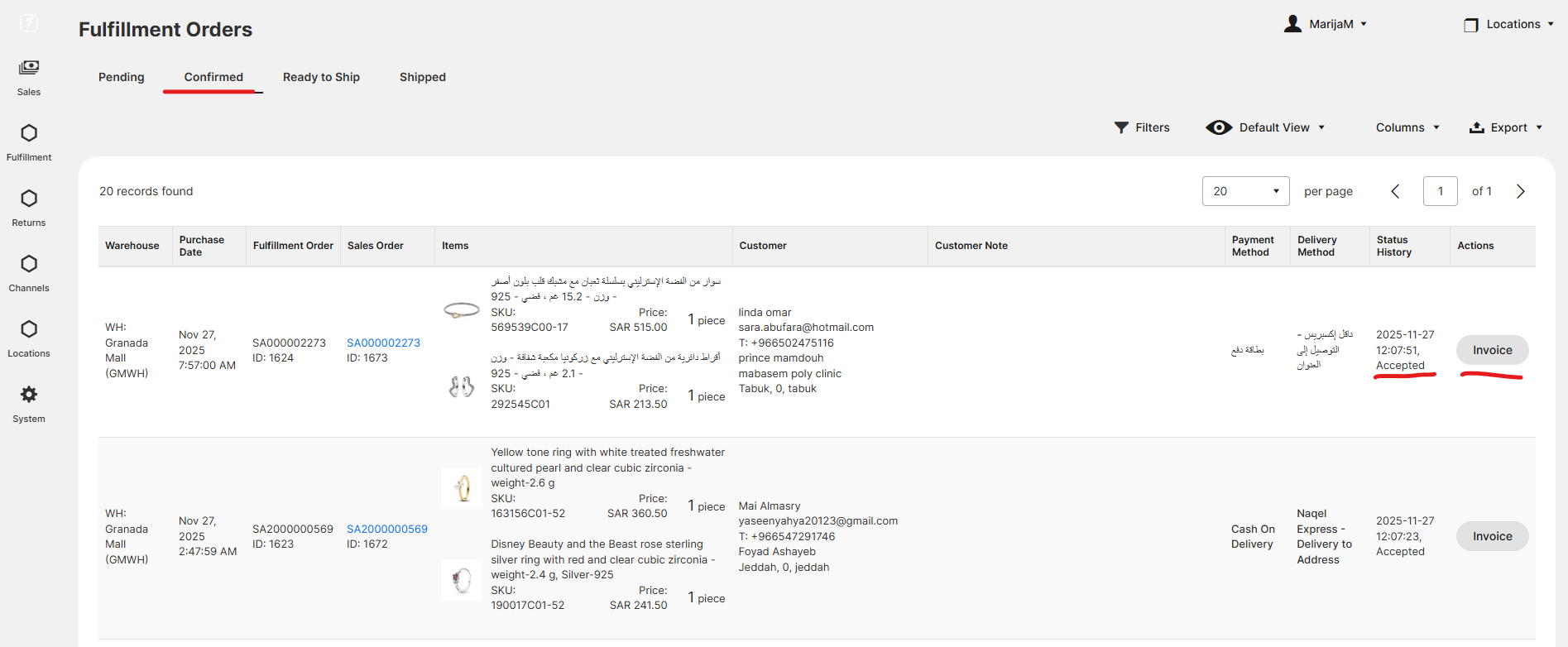
6. Next step is processing in Odoo. Orders are now in Shipper in state Confirmed and Invoice should be created in Odoo.
Steps for Odoo are here.
Was this article helpful?
That’s Great!
Thank you for your feedback
Sorry! We couldn't be helpful
Thank you for your feedback
Feedback sent
We appreciate your effort and will try to fix the article