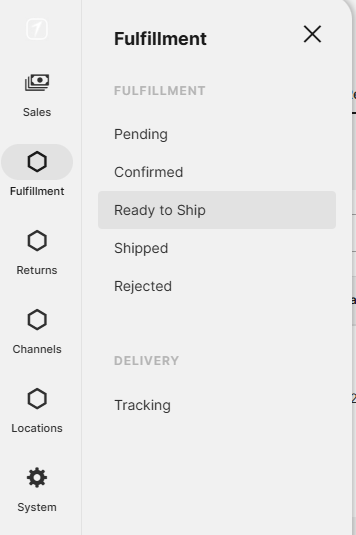
1. All the orders are in Shipper in status Ready to Ship.
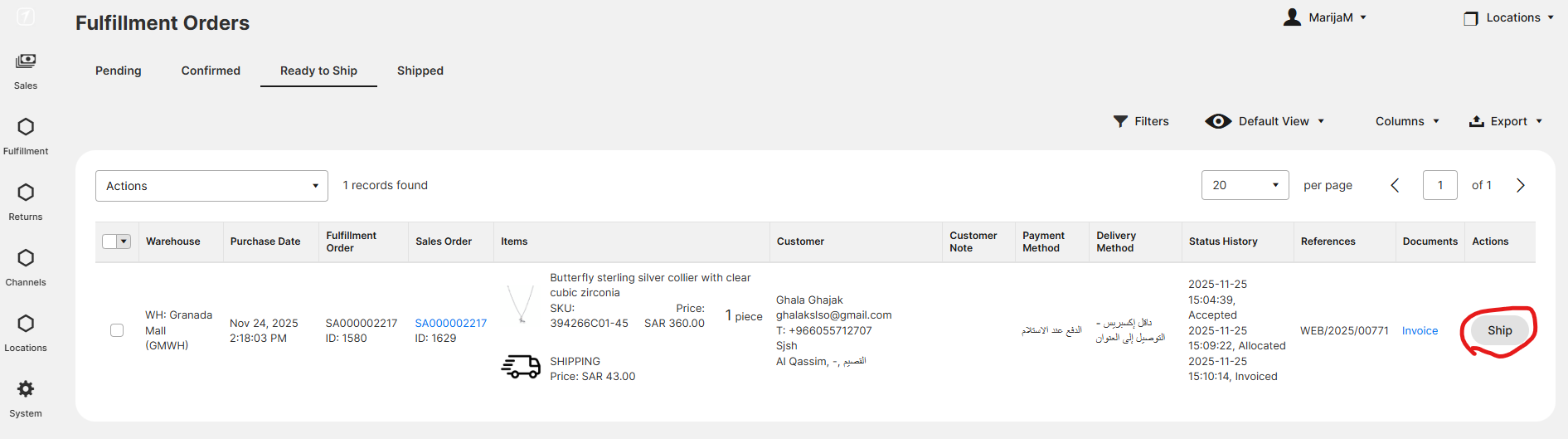
2. To Ship them go to button Ship.
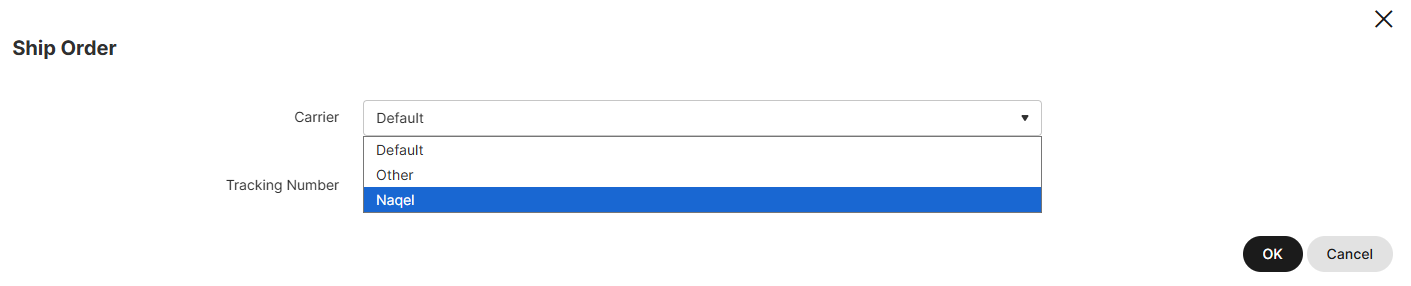
3. Choose the carrier Naqel and go to OK. Do this for all the orders.
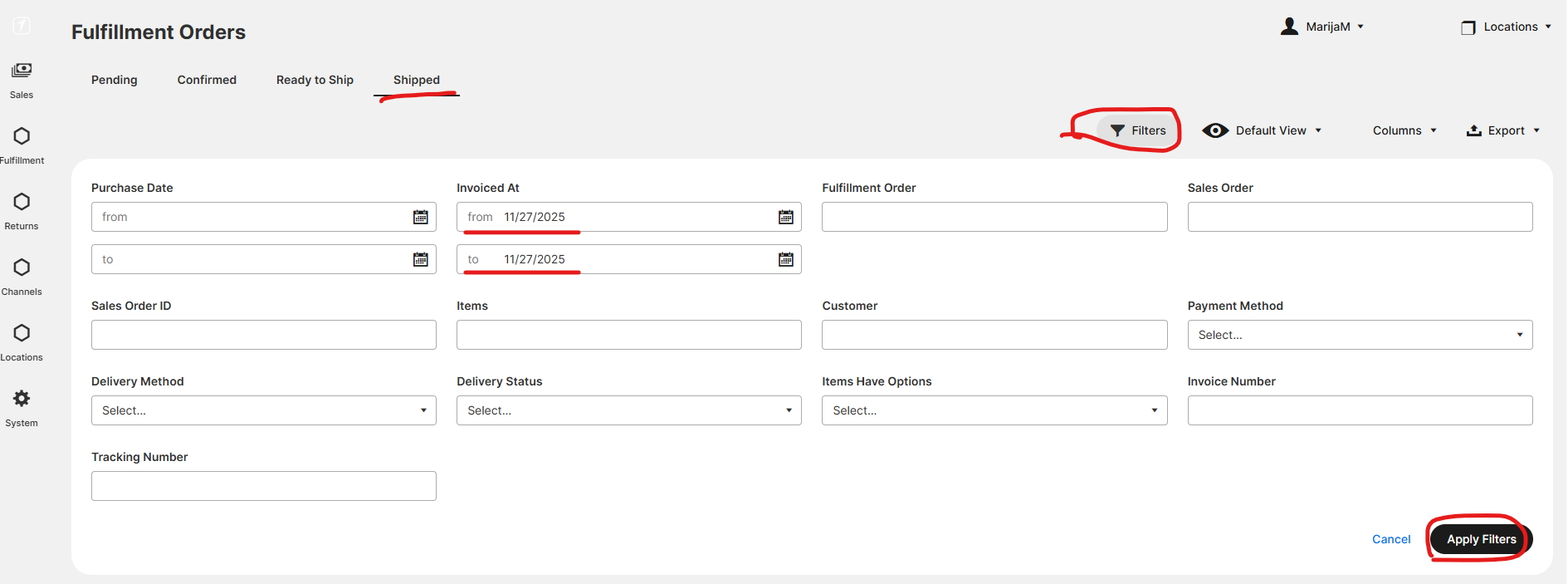
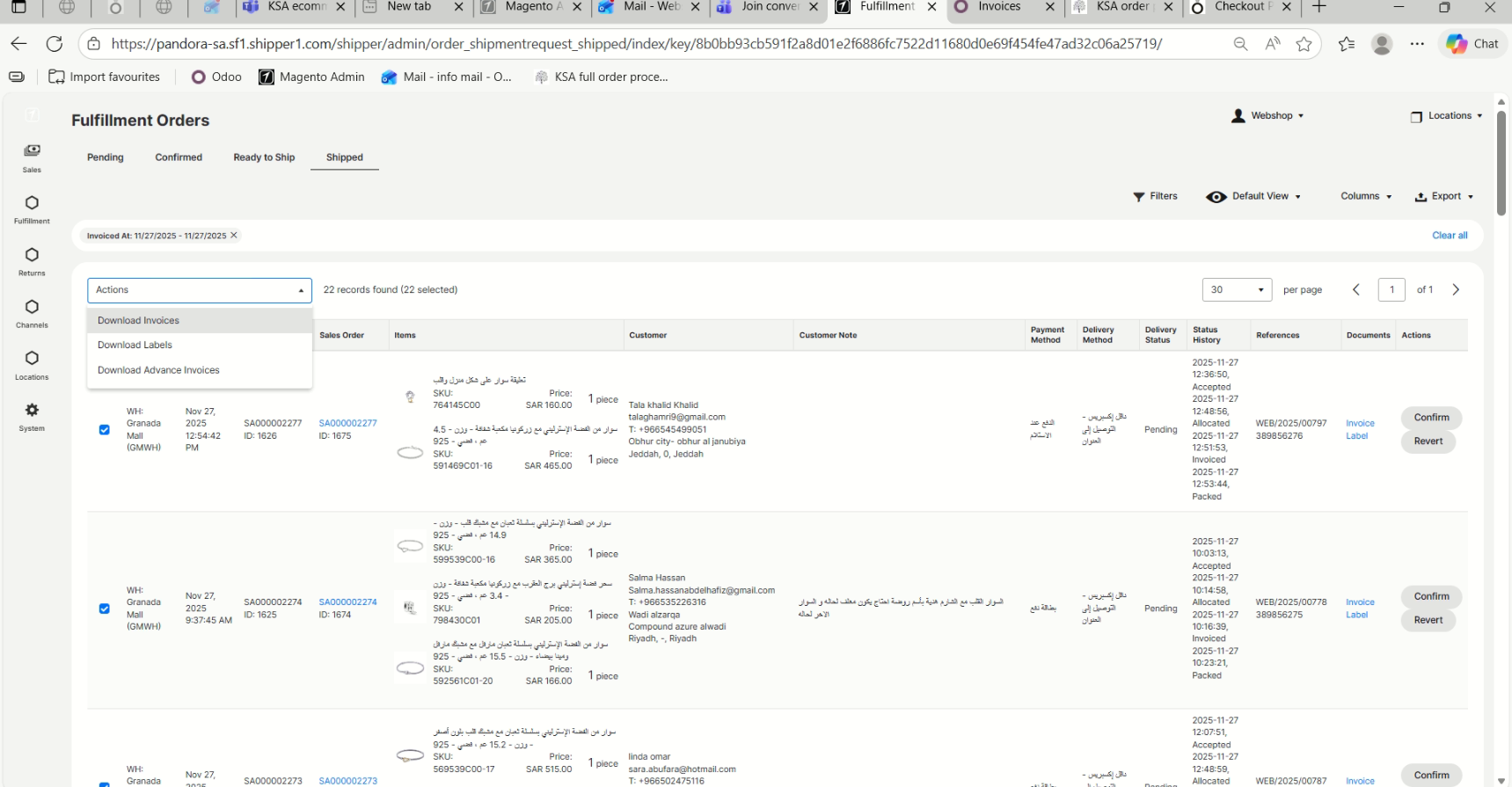
4. Orders are now in Status Shipped, with all the documents ready. Go to filters, select today's date in the field Invoiced At, and then go to Apply Filters.
5. Select all the orders and go to Actions "Download Invoices" and then Actions "Download Labels"
This will download invoices and labels to your computer, where you can print them out.
Was this article helpful?
That’s Great!
Thank you for your feedback
Sorry! We couldn't be helpful
Thank you for your feedback
Feedback sent
We appreciate your effort and will try to fix the article