1. Navigate to Stock / Item Listing in menu
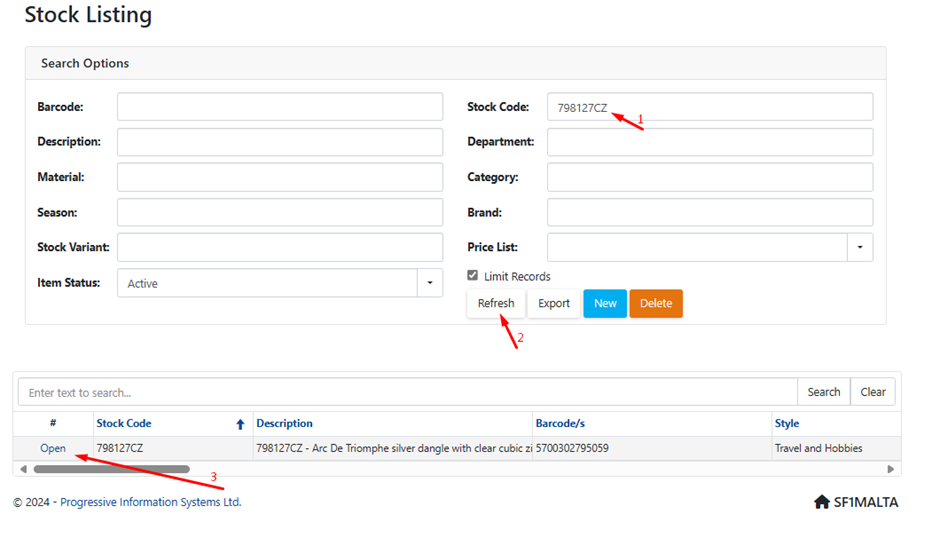
2. Find product you want to update.
3. Scroll down to the price lists section.
4. Update all four fields with prices for the selected price lists: In-Store and Online.
5. Double-click on each price field to change it.
6. After making the changes, click Save Changes.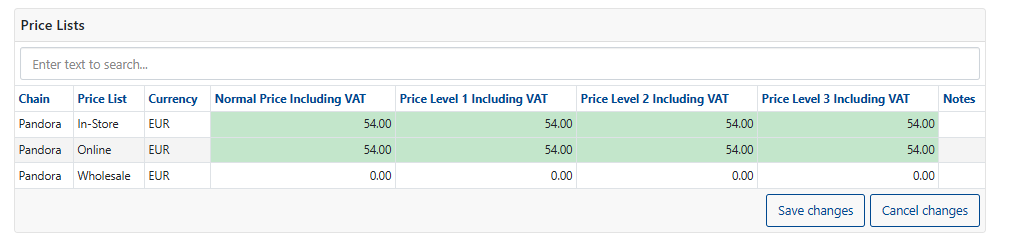
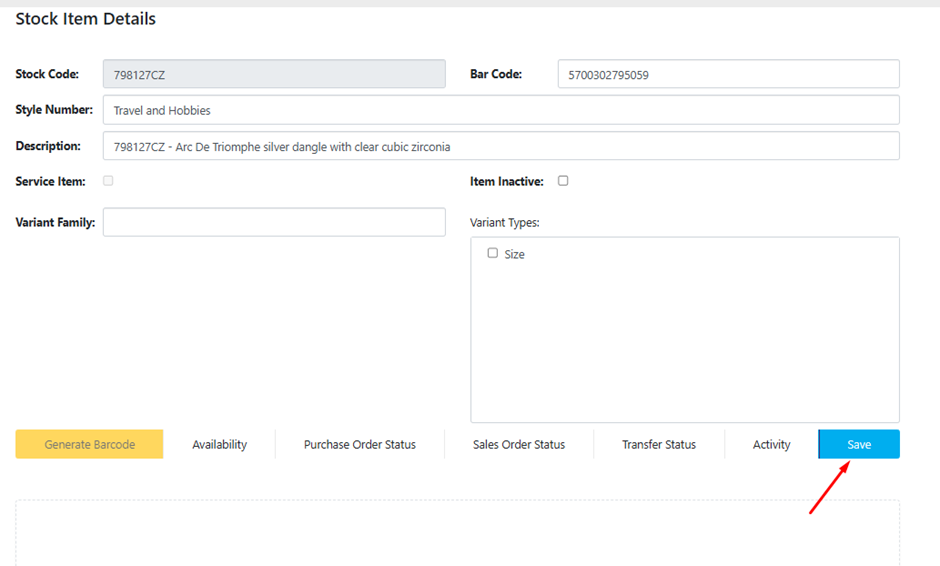
Scroll back up on top of the page and Save product:
Was this article helpful?
That’s Great!
Thank you for your feedback
Sorry! We couldn't be helpful
Thank you for your feedback
Feedback sent
We appreciate your effort and will try to fix the article