If you only need to create one or a few new products in the system - follow these instructions.
But, if you want to create more products in the system (trough Excel sheet) click HERE
1) Navigate to Stock/Item Listing in the menu.
2) Click the blue "New" button.
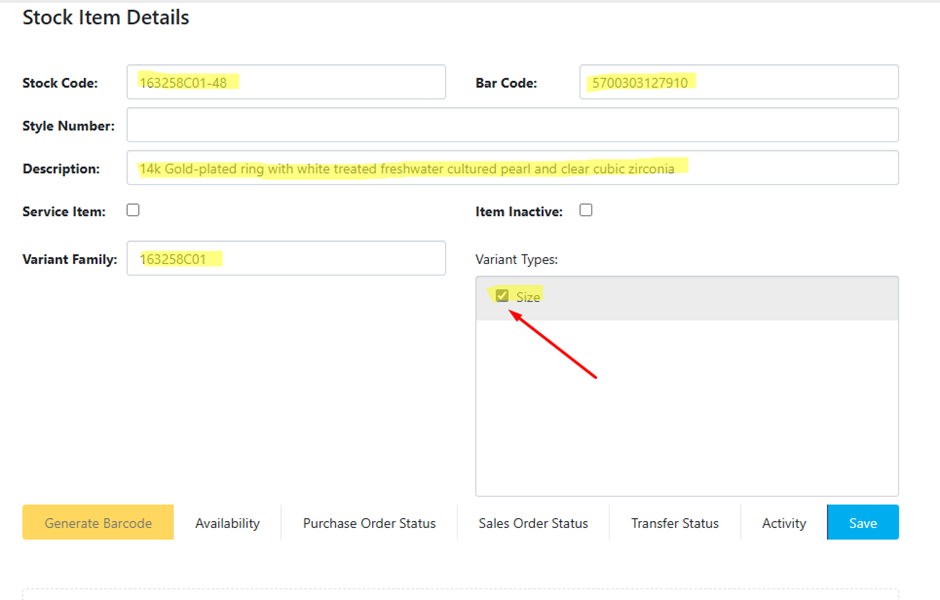
3) Fill in the product details using the Italian Master Data file:
a) Stock Code: Full SKU code, including size if applicable.
b) Bar Code: Valid bar code.
c) Description: Product name.
d) Variant Family: If applicable, short SKU (without size).
e) If the product is a variant, ensure the "Size" option is ticked in the "Variant Types" field. This is important for creating a configurable product for variants on the website.
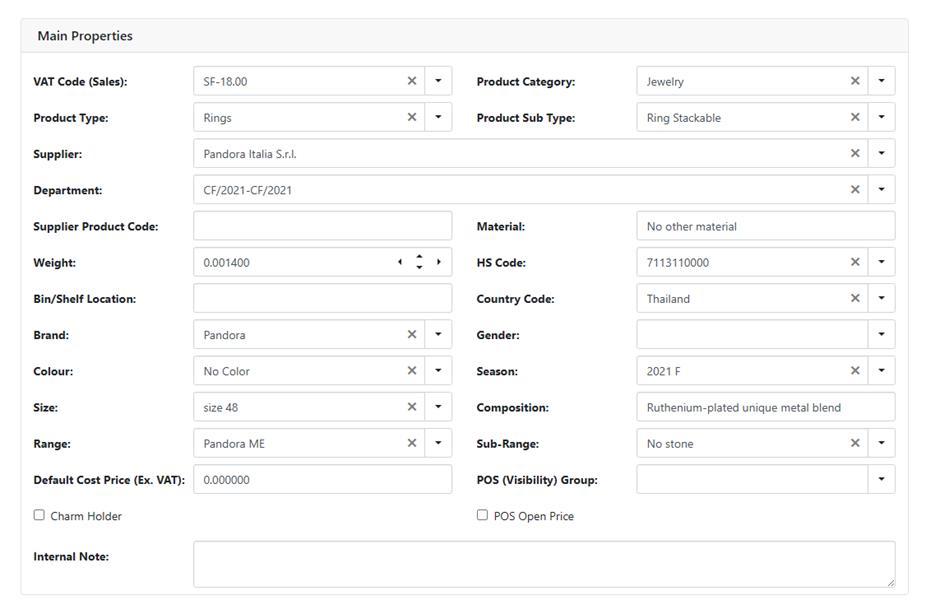
4. Main Properties: Fill fields using data from the Master Data file.
5. Scroll to the price lists section.
6. Update all four fields with prices for the selected price lists: In-Store and Online.
7. Double-click on each price field to change it.
8. After making the changes, click Save Changes. 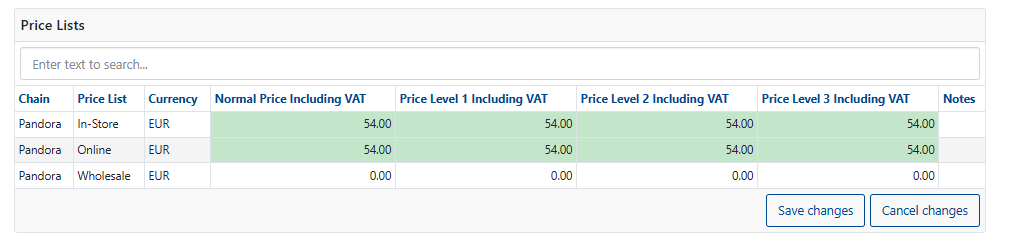
5. Go back to the top of the page and click "Save".
Was this article helpful?
That’s Great!
Thank you for your feedback
Sorry! We couldn't be helpful
Thank you for your feedback
Feedback sent
We appreciate your effort and will try to fix the article