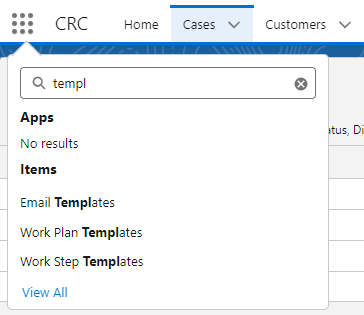
In the CRC module, go to the 9 square dots and start typing templates, choose Email Templates.
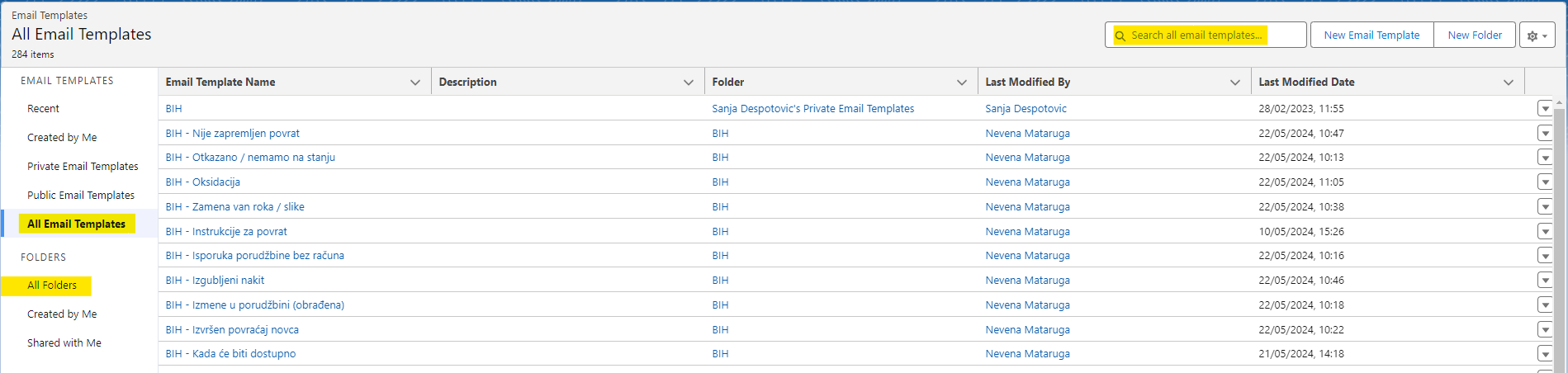
You can find the one you want to change by clicking on All Email and going to search or you can narrow your search by picking a Group of templates first and then find the template you want to change.
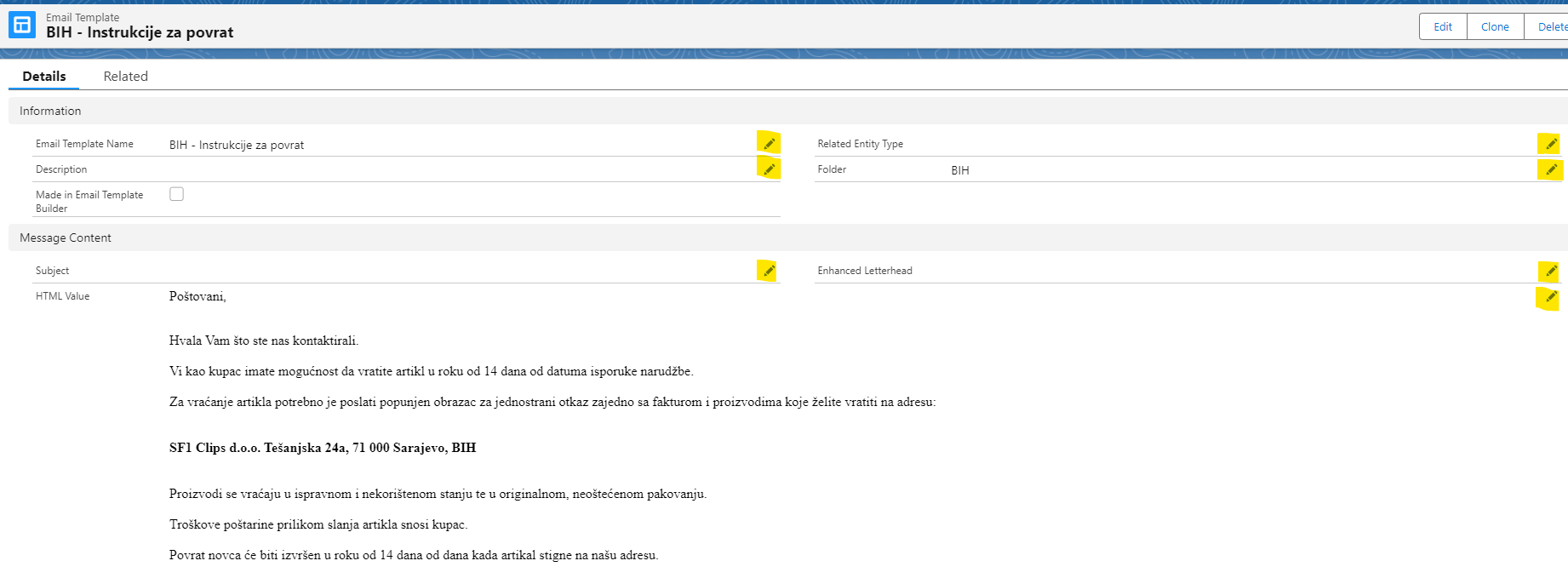
Click on a template you want to change. You can edit any part of it by clicking on the pen icon. When you change it, click Save.
If you want your email template to have a document attached to it, click on "Related" button.
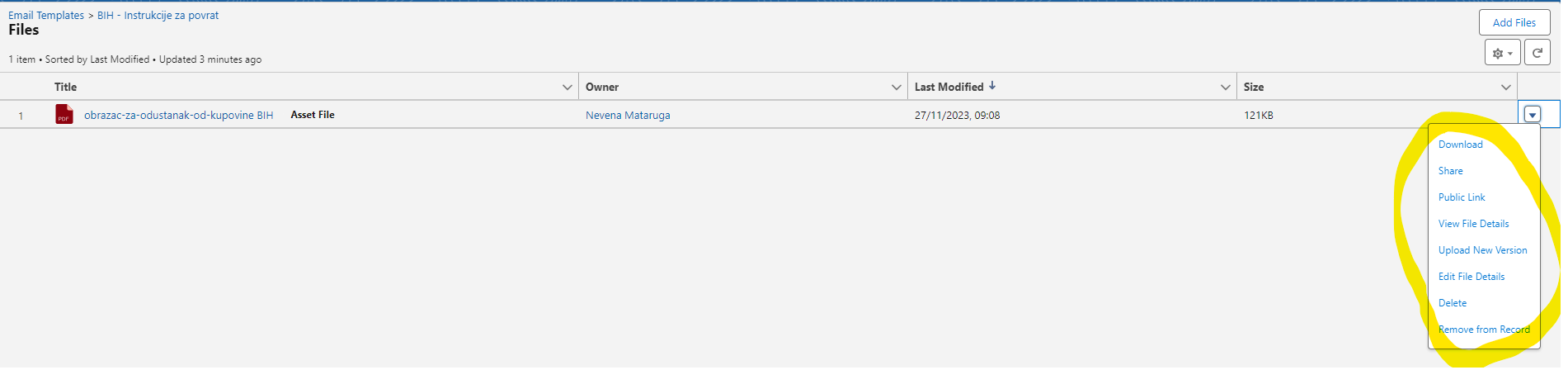
You can add a new file, and if you want to delete previous file, go to View all.
Keep in mind if you chose "Delete" it will not just delete it from the email template, it will delete it from the system, and this file will no longer be visible anywhere.
If you just want to delete it from the specific email template choose "Remove from Record"

If you go to View all you can change, download, delete edit, view the existing file.
Was this article helpful?
That’s Great!
Thank you for your feedback
Sorry! We couldn't be helpful
Thank you for your feedback
Feedback sent
We appreciate your effort and will try to fix the article