You must be in CRC module – if you are not, click on the 9 square dots below the blue cloud and find and choose CRC.
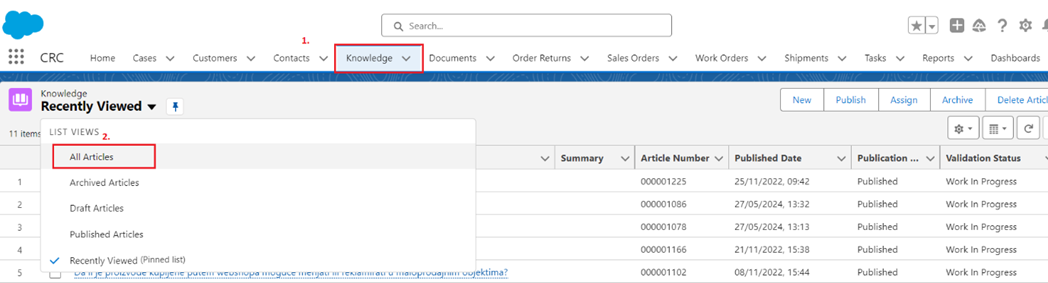
In the Knowledge tab, select All Articles
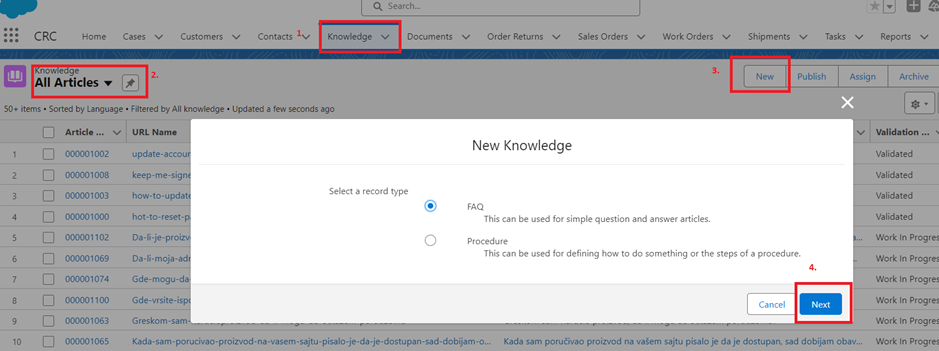
Go to New and pick a record type FAQ, then Next
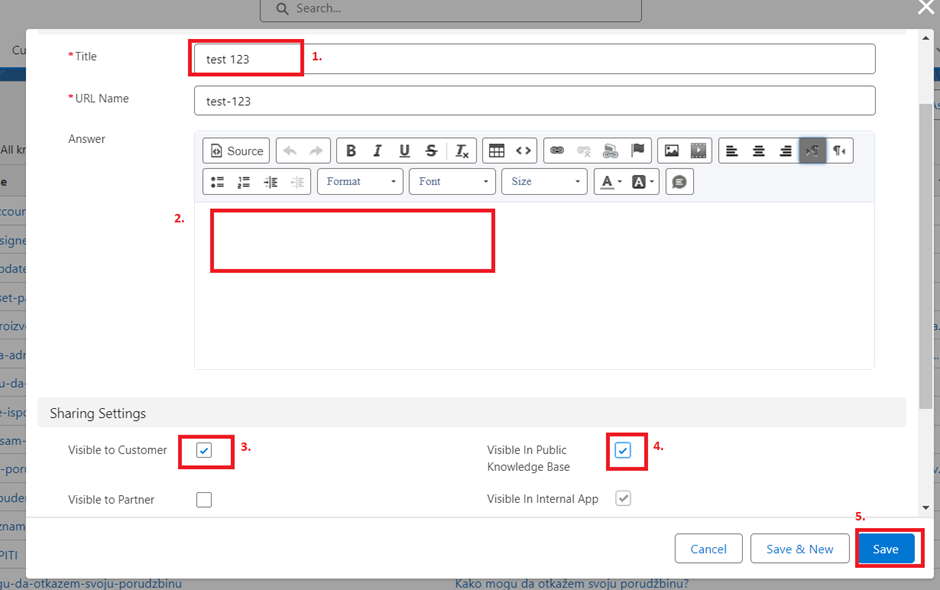
Write a necessary data as shown in the picture below, and check the boxes as shown. Click Save
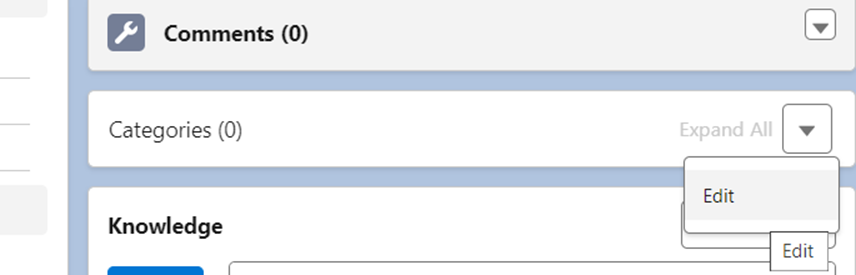
After a new article is created, select a category, and assign to the appropriate country and section.
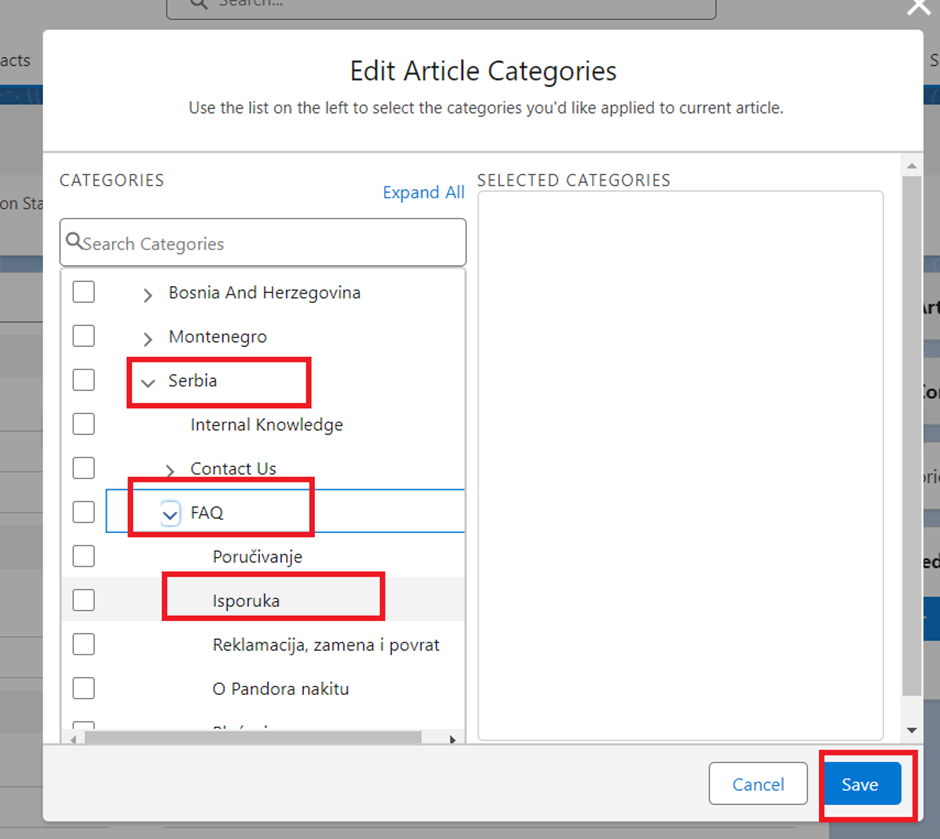
Than press the button Publish.
Check if the article is visible in the Knowledge base, link if needed.
Was this article helpful?
That’s Great!
Thank you for your feedback
Sorry! We couldn't be helpful
Thank you for your feedback
Feedback sent
We appreciate your effort and will try to fix the article