You must be in CRC module – if you are not, click on the 9 square dots below the blue cloud and find and choose CRC.
In the Knowledge select All Articles
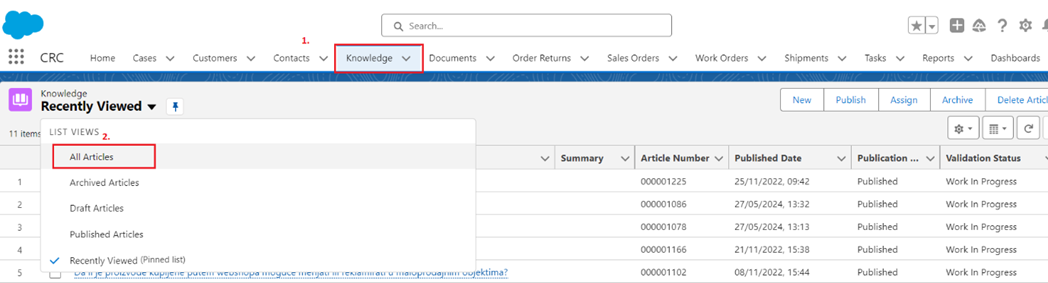
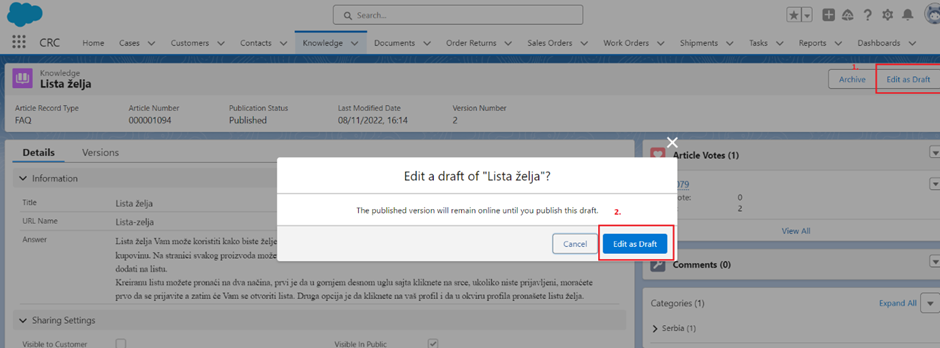
Select the article you want to change and than press the button Edit as Draft
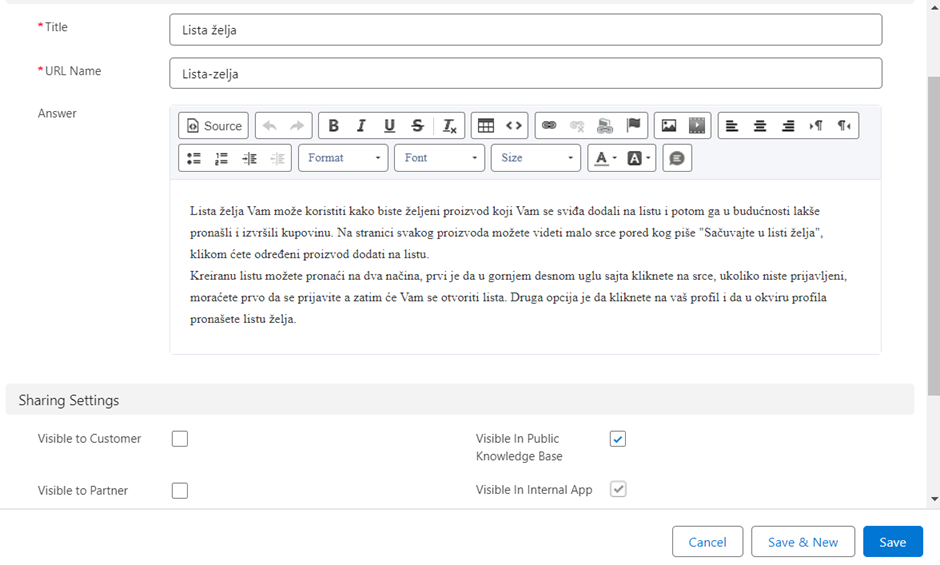
Make the necessary changes (in the field "Answer" - do not touch URL, it may be linked somewhere) and save.
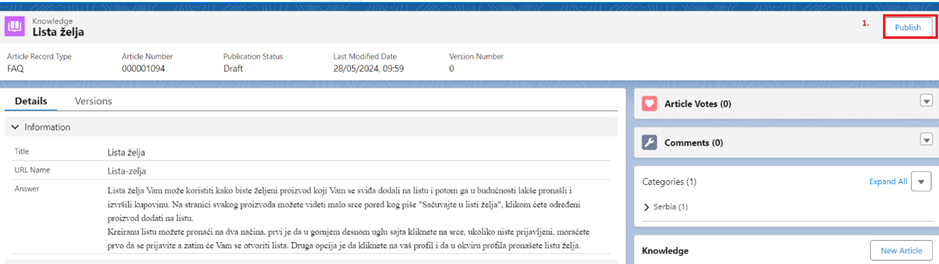
After that click the button Publish.
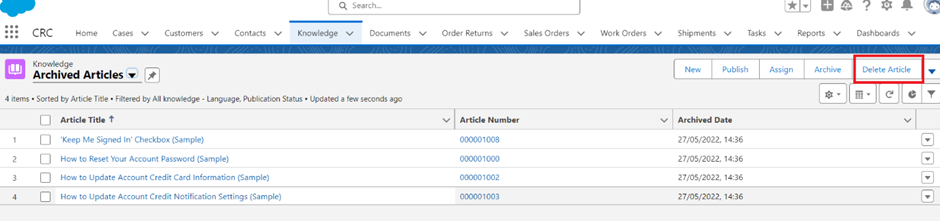
*If you want to delete an item, you need to archive them first, and then delete it.
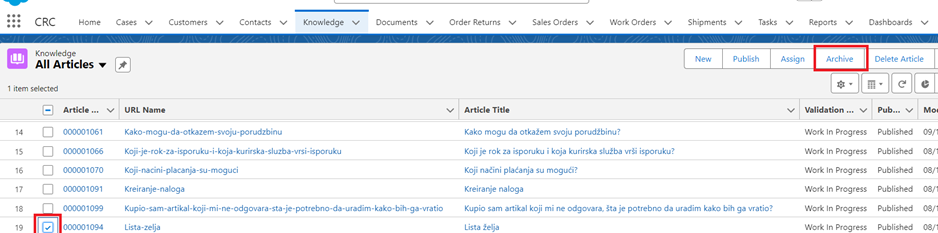
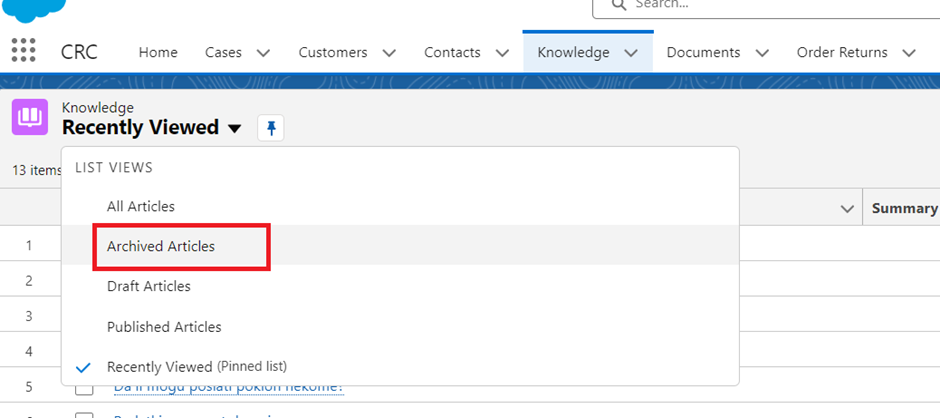
Find the item in Archived Articles
And than Delete Article.
Was this article helpful?
That’s Great!
Thank you for your feedback
Sorry! We couldn't be helpful
Thank you for your feedback
Feedback sent
We appreciate your effort and will try to fix the article