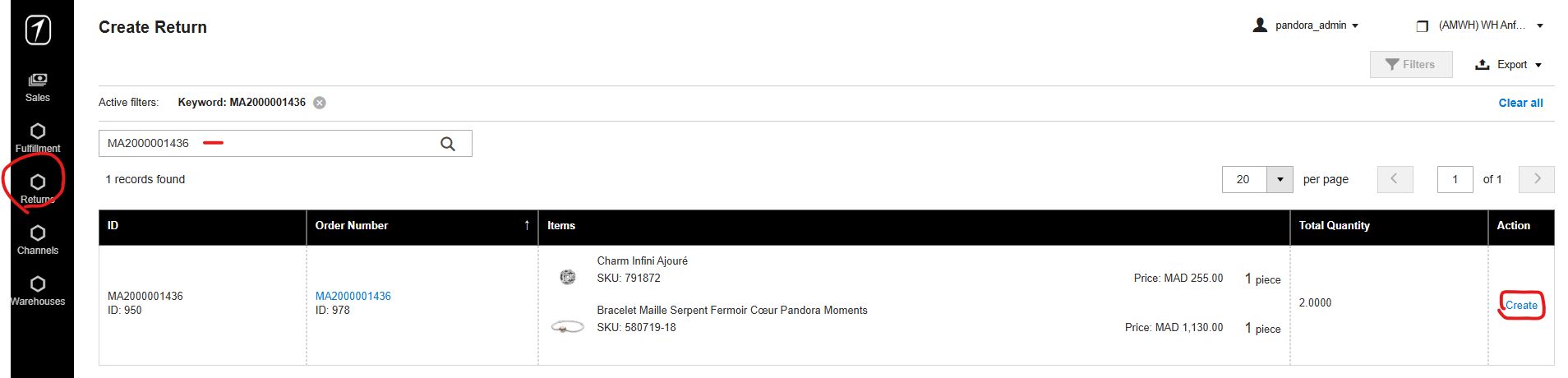
1. Go to Shipper - Return - Create a return
2. Search the order for which you want to make a return and click Create (order must be Shipped before you create a return).
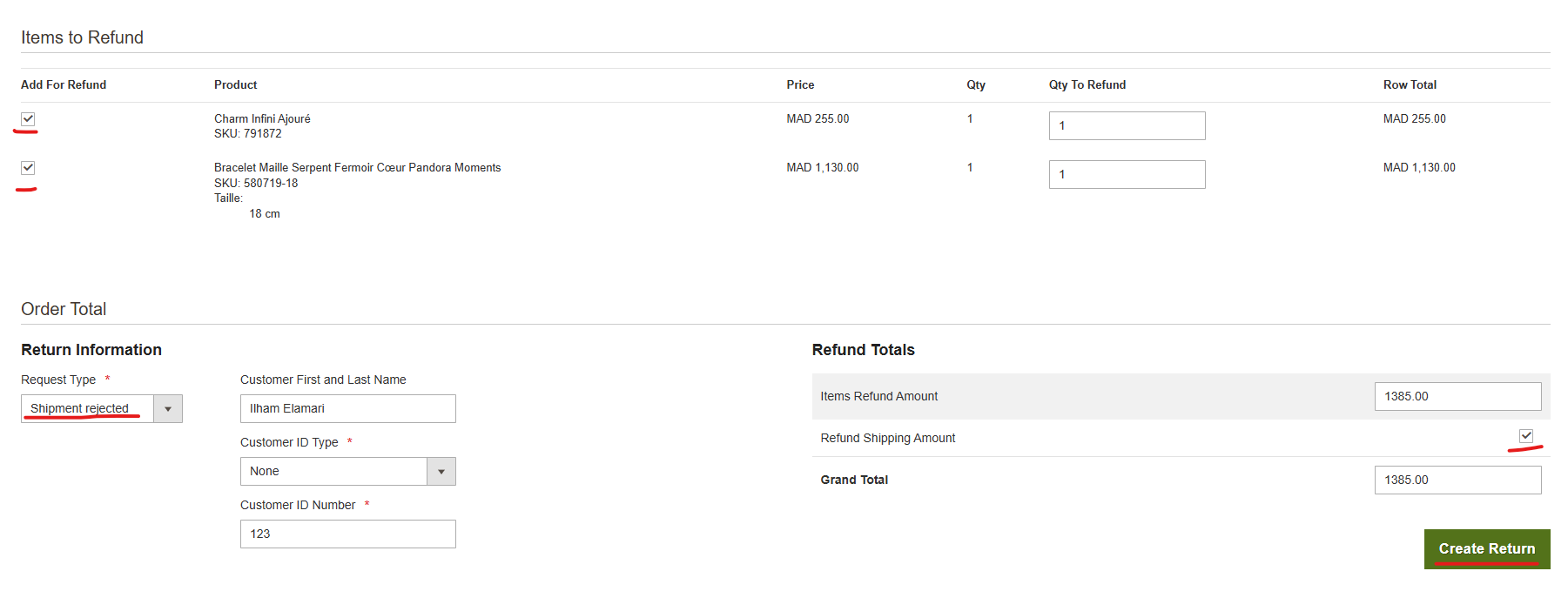
3. Check the products you need to return, select return type, check the return shipping amount if shipping costs also need to be returned and then click on Create return. Steps in Shipper give us a correct sellout data.
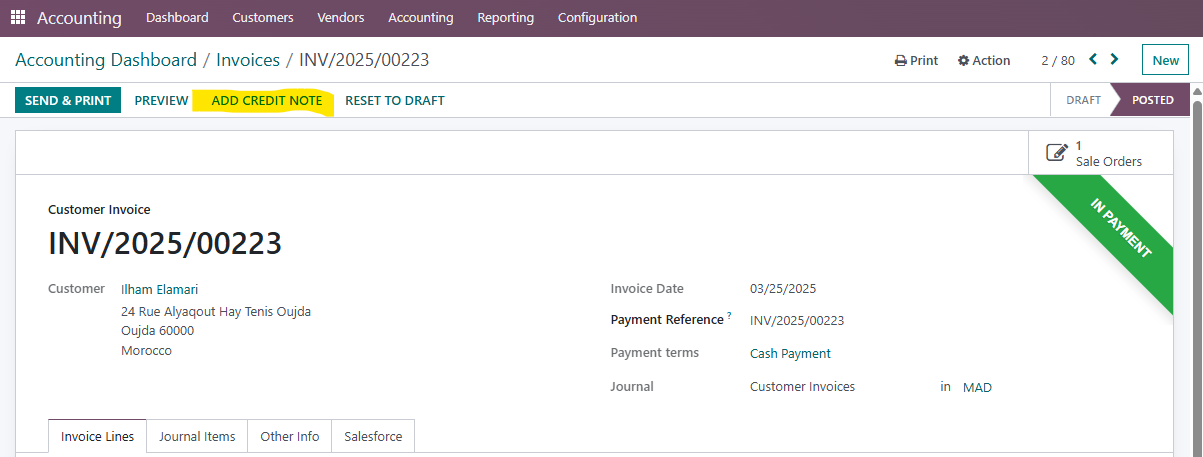
4. Go to Odoo - Accounting - Customer invoices and find the invoice you need to return and click on it

5. Go to ADD CREDIT NOTE
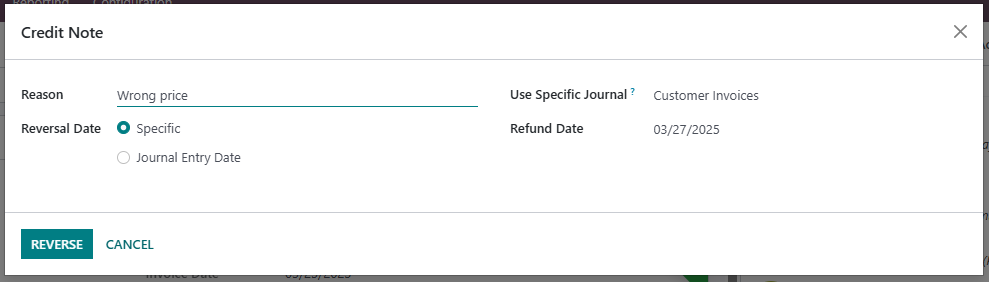
6. Enter a reason for return and go to REVERSE. This will open a credit note, just click CONFIRM.
7. This has returned the product to webshop stock. The product must be returned to Anfa Place stock.
To do this, we must do manual transfer or reverse the previous transfer.
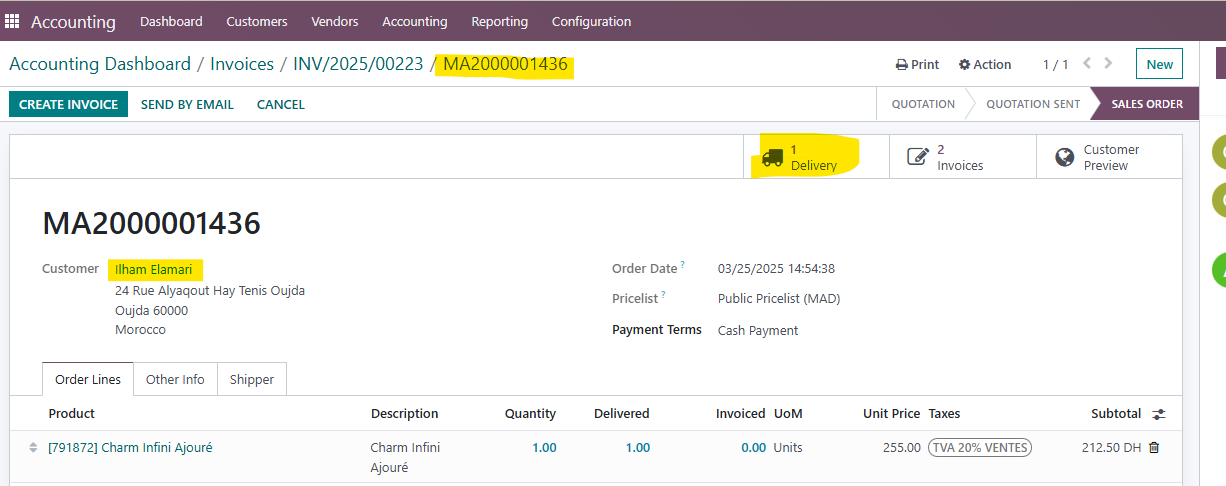
If you want to revers transfer, the safest way is to go to the original sales order (Sales - Quotation - Find and click on the quotation you need ) and click on the truck.
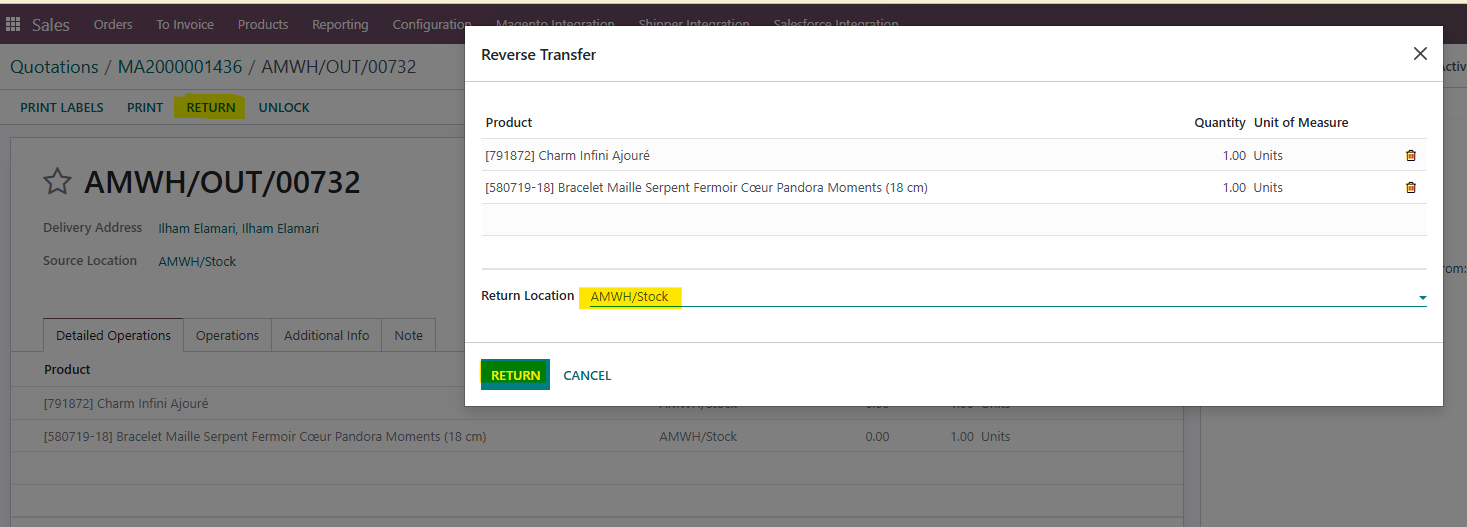
8. Click on RETURN and check if every product will be returned to Anfa place stock, and then in the popup click RETURN
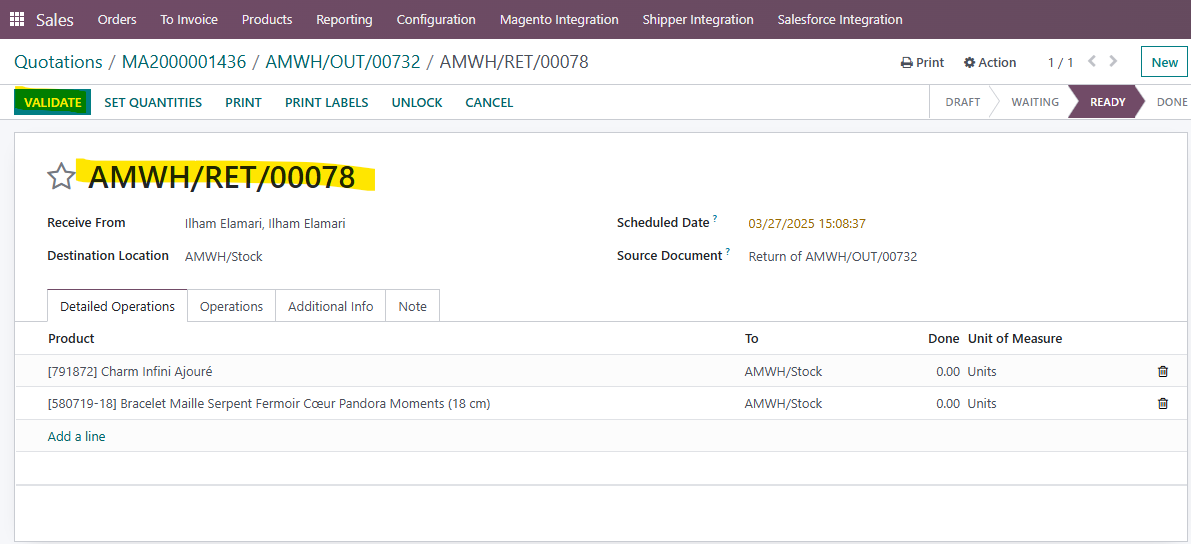
9. Return transfer will open, click on VALIDATE and then APPLY
Was this article helpful?
That’s Great!
Thank you for your feedback
Sorry! We couldn't be helpful
Thank you for your feedback
Feedback sent
We appreciate your effort and will try to fix the article