If you notice a permutation in size (or permutation for products with the same purchase price), and you want to correct it, do following:
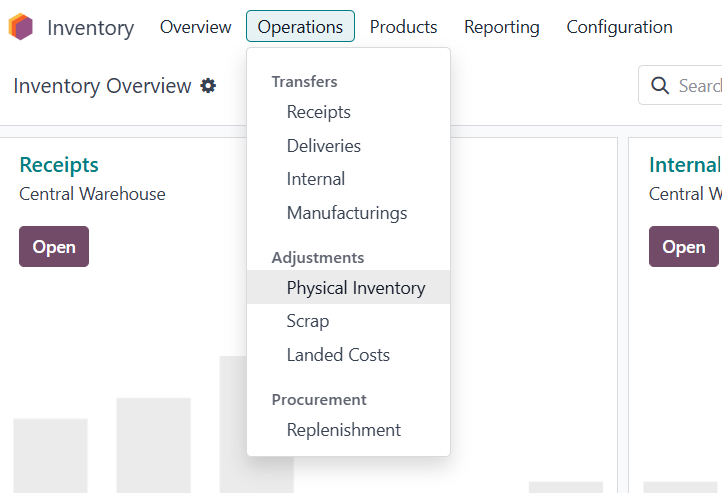
Go to Inventory module, Operations, Physical Inventory
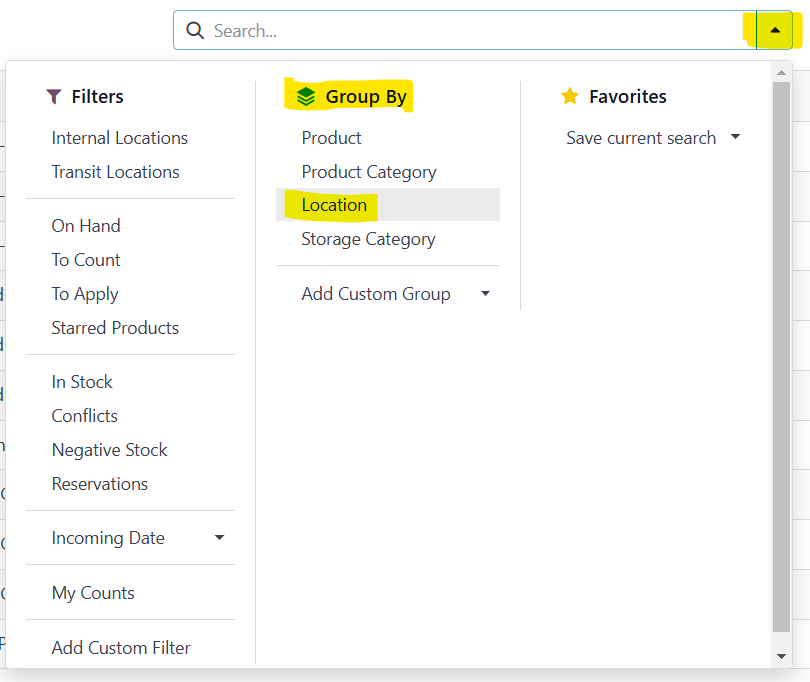
You can group or filter by location so that you can do the correction in the specific store
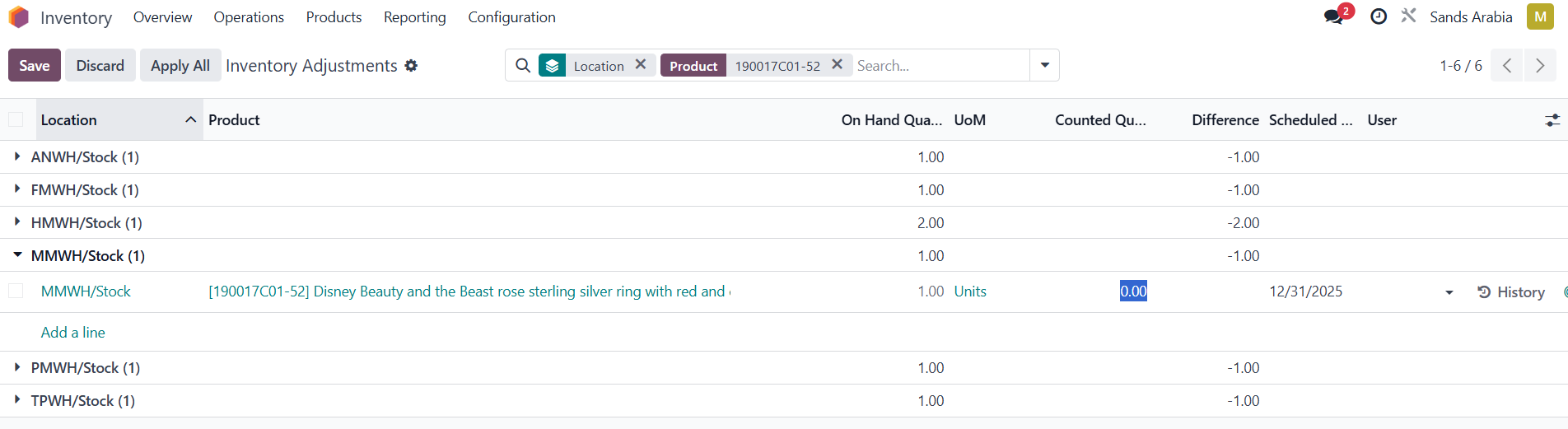
If we want to change for example 1 piece of 190017C01-52 to 1 piece of 190017C01-60 in Makkah Mall.
Find in the search the wrong SKU (which we have in the system, but not physically). 190017C01-52
Click on the store where the change needs to be done.
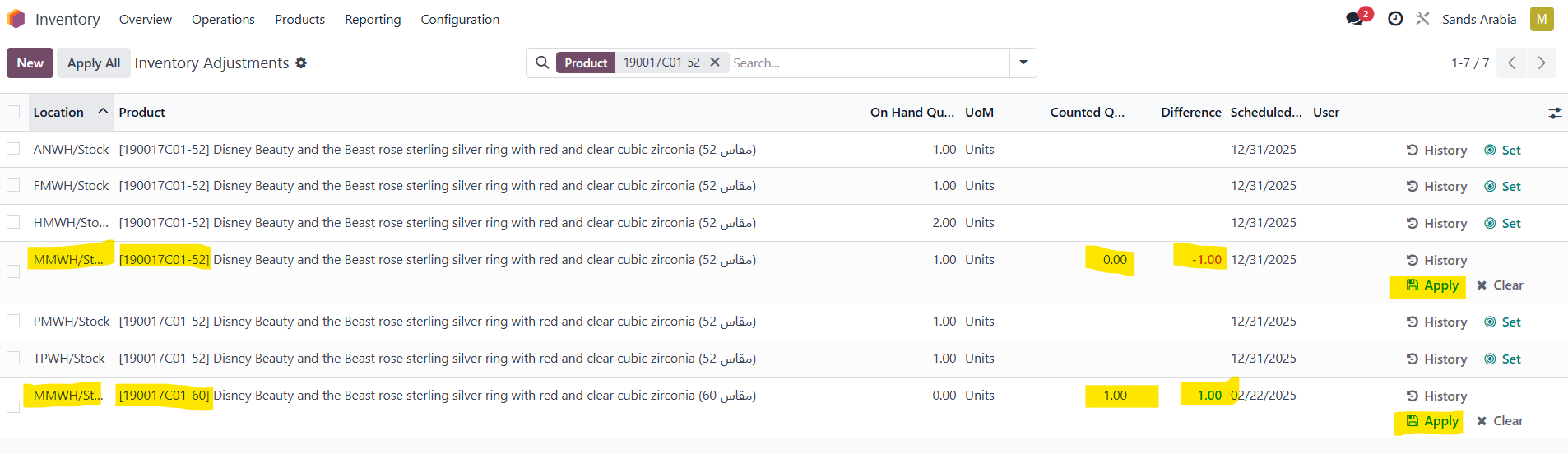
In counted quantity, reduce the amount by 1 (the qty you want to change), in this case type in 0
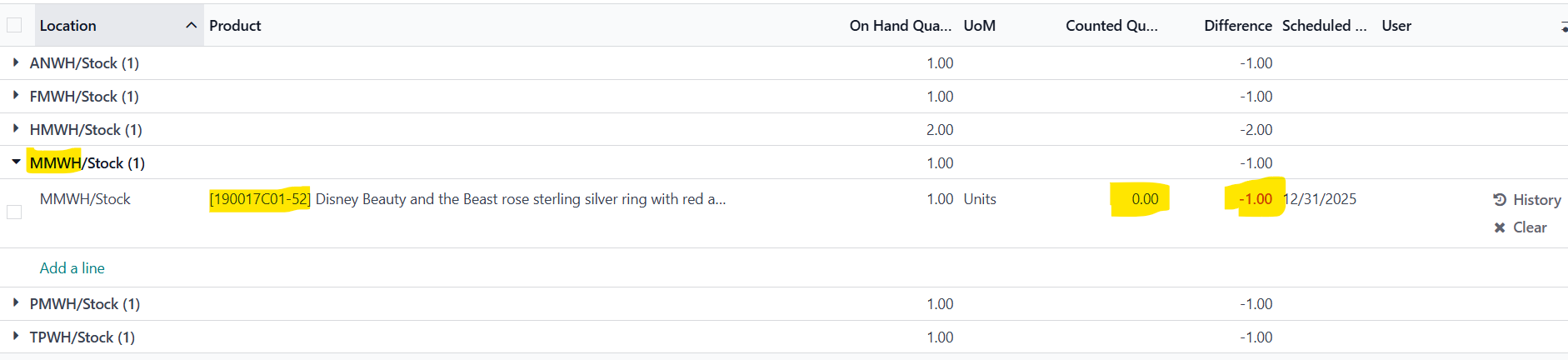
Difference will appear as -1
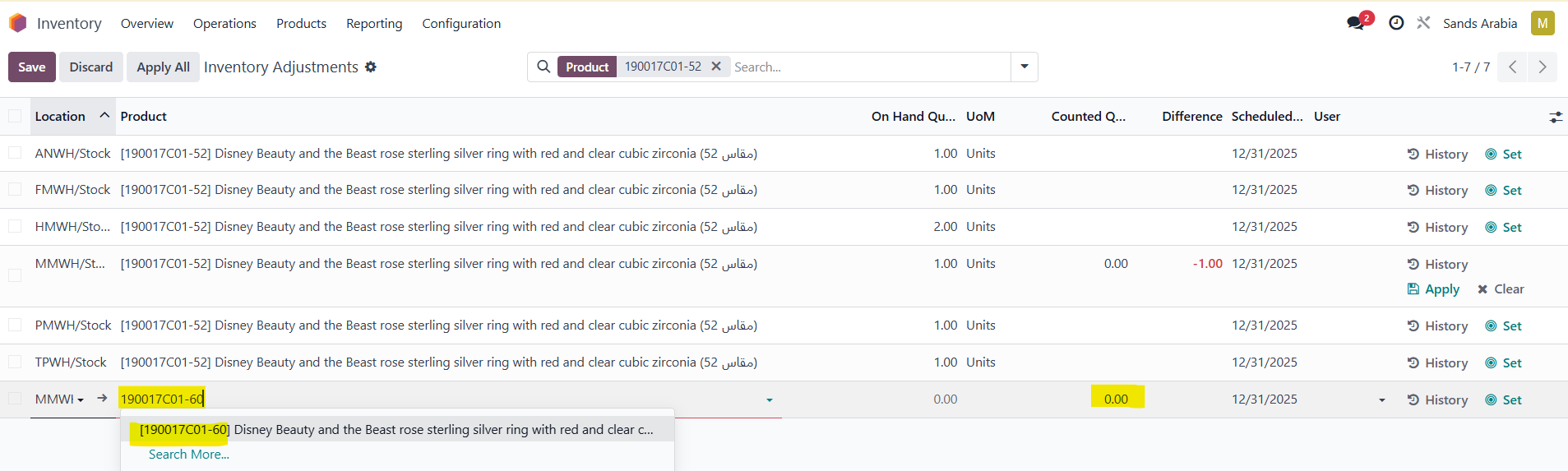
To change the quantity of the correct product (which we have physically, but not in the system stock, in this case 190017C01-60 ), find that product and add +1 to the Counted qty for this product.
If this product is not available at all in the selected store, go to NEW button.
New line will be shown at the end. Pick the location (store)
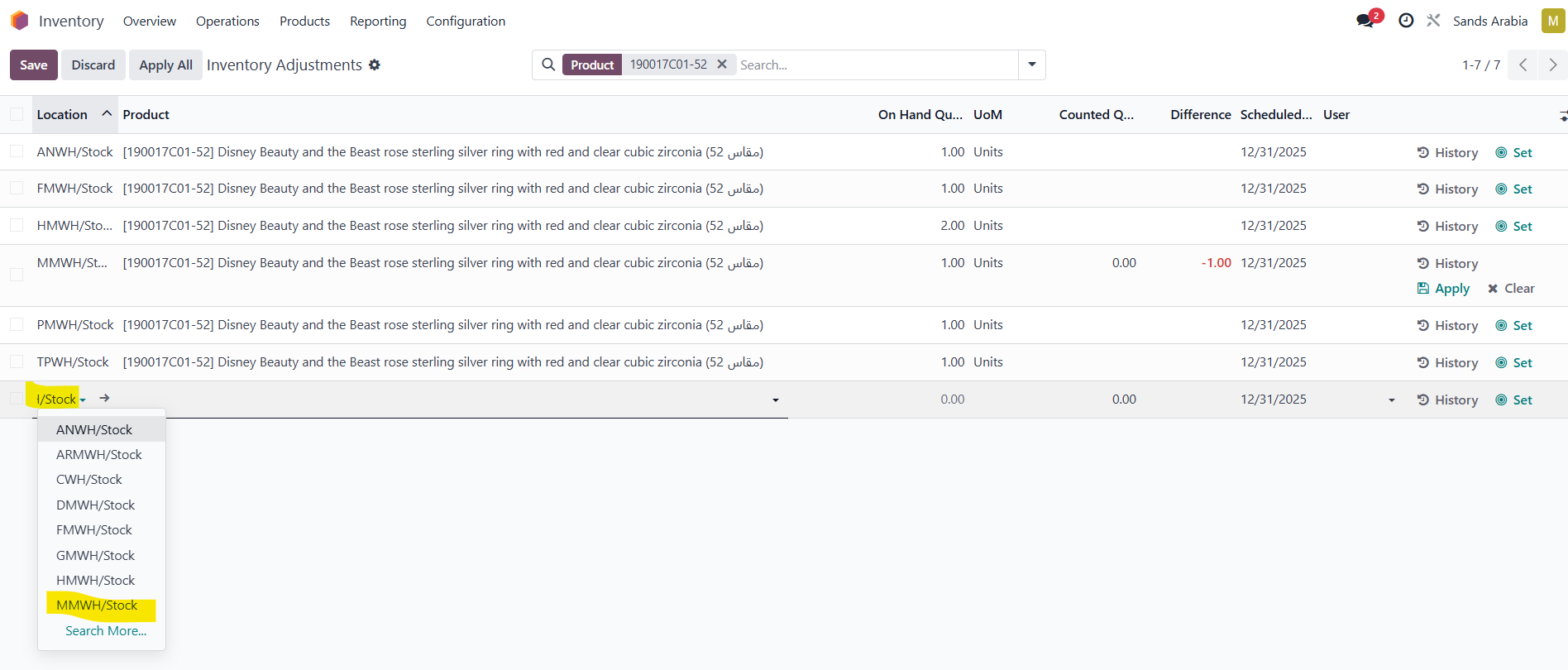
Type in the product you want to add and on Counted qty add +1
Go on Apply to make the changes:
You can see all the changes you made in Reporting - Moves history, or Reporting - Valuation


Was this article helpful?
That’s Great!
Thank you for your feedback
Sorry! We couldn't be helpful
Thank you for your feedback
Feedback sent
We appreciate your effort and will try to fix the article