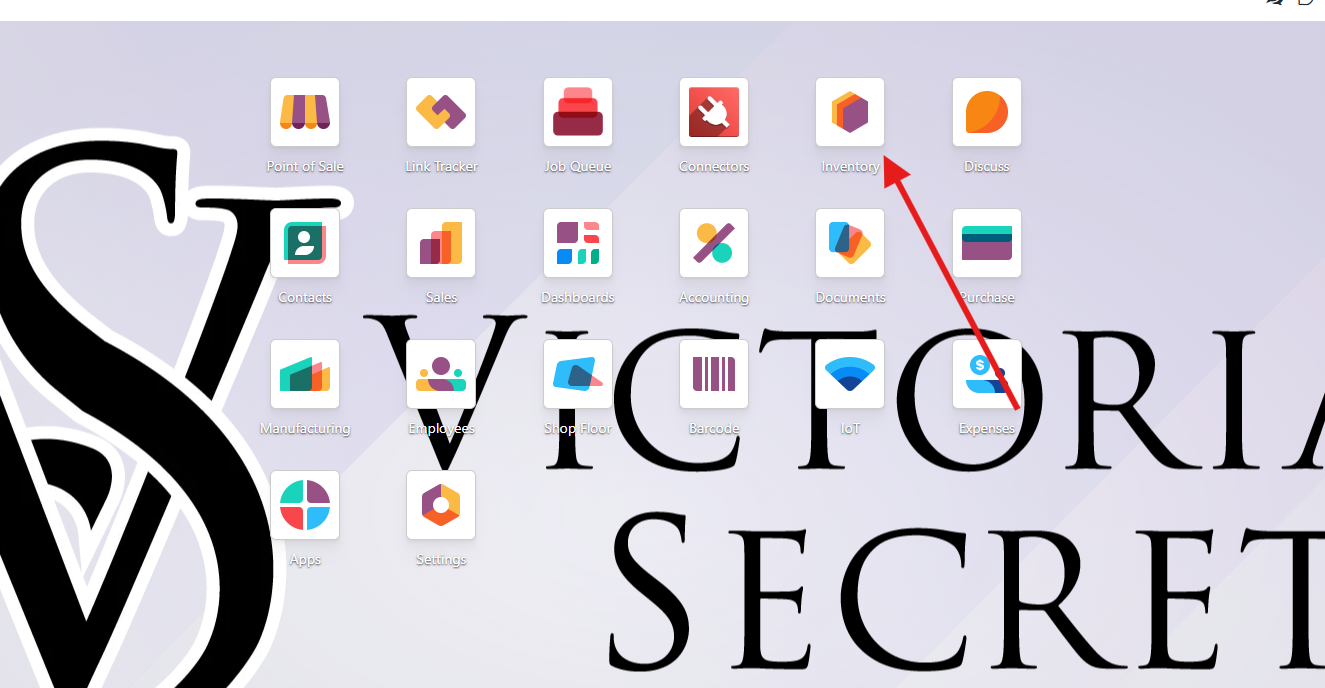
1. Open Inventory application
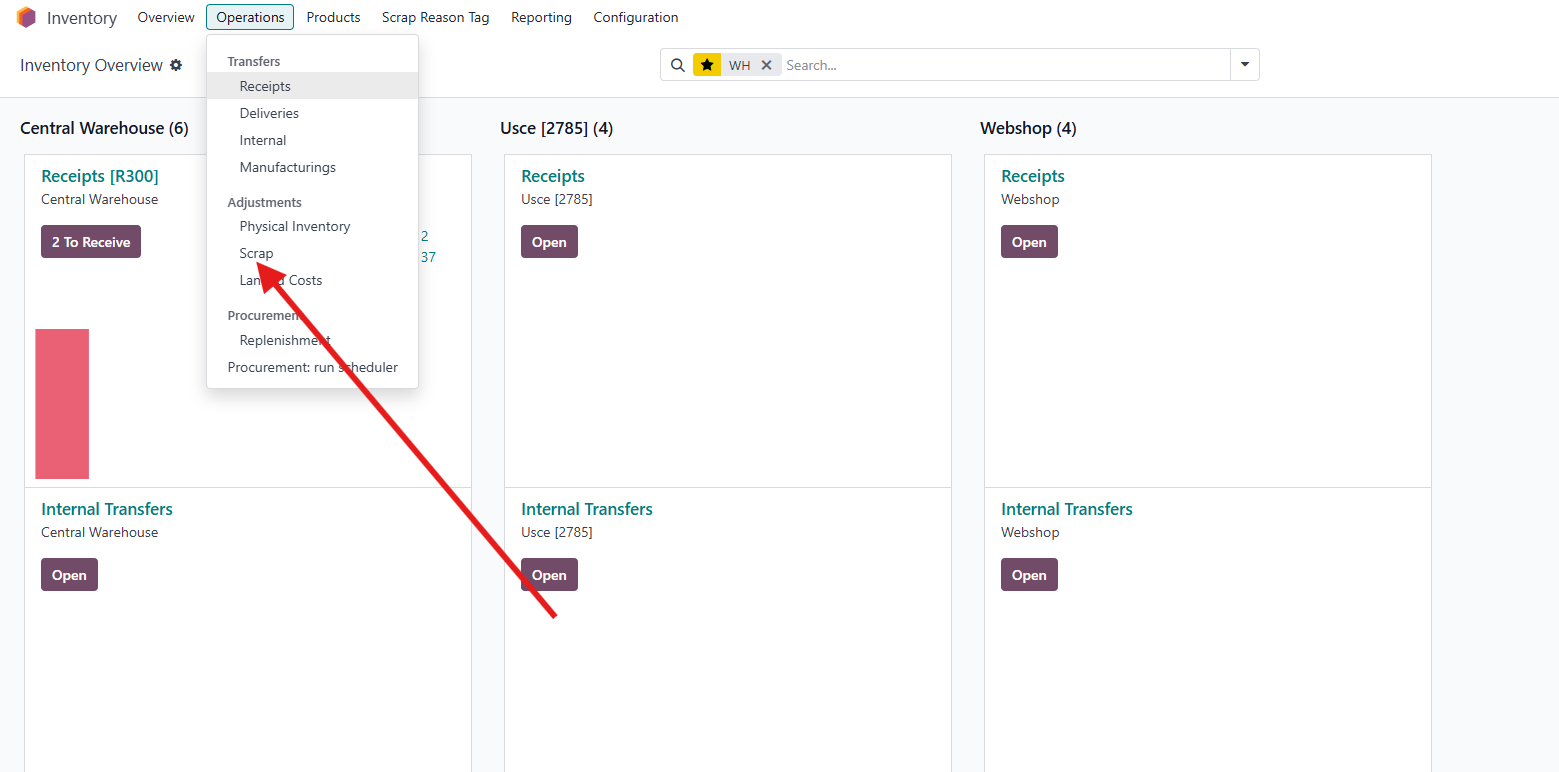
2. Click on Operations - Scrap
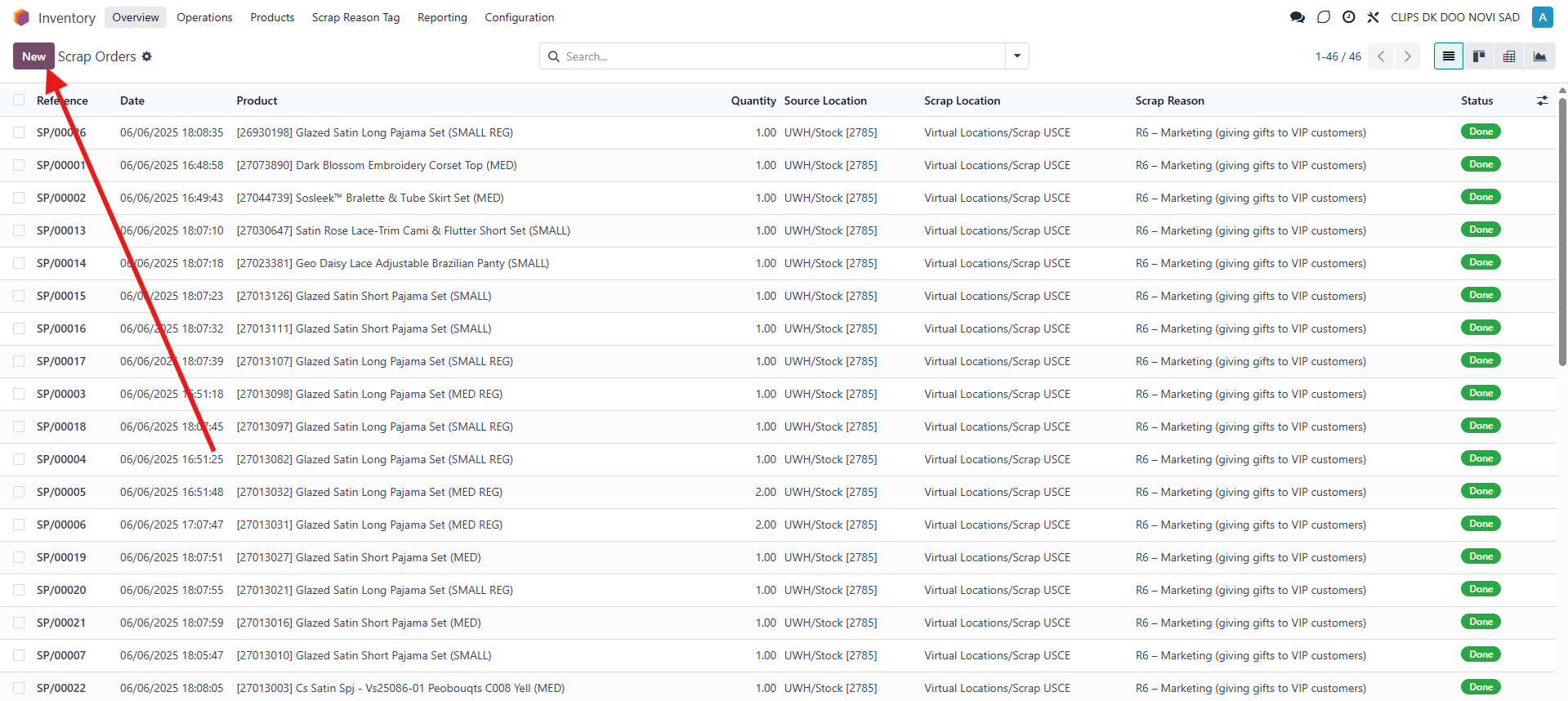
3.In the top left corner click on New
4.Here, you need to fill out :
Product- Which one you want to transfer to scrap location
Quantity - Quantity of the product that you want to transfer
Source location - Parent location, the one that you are transferring FROM
Scrap location - Location where you want to transfer products
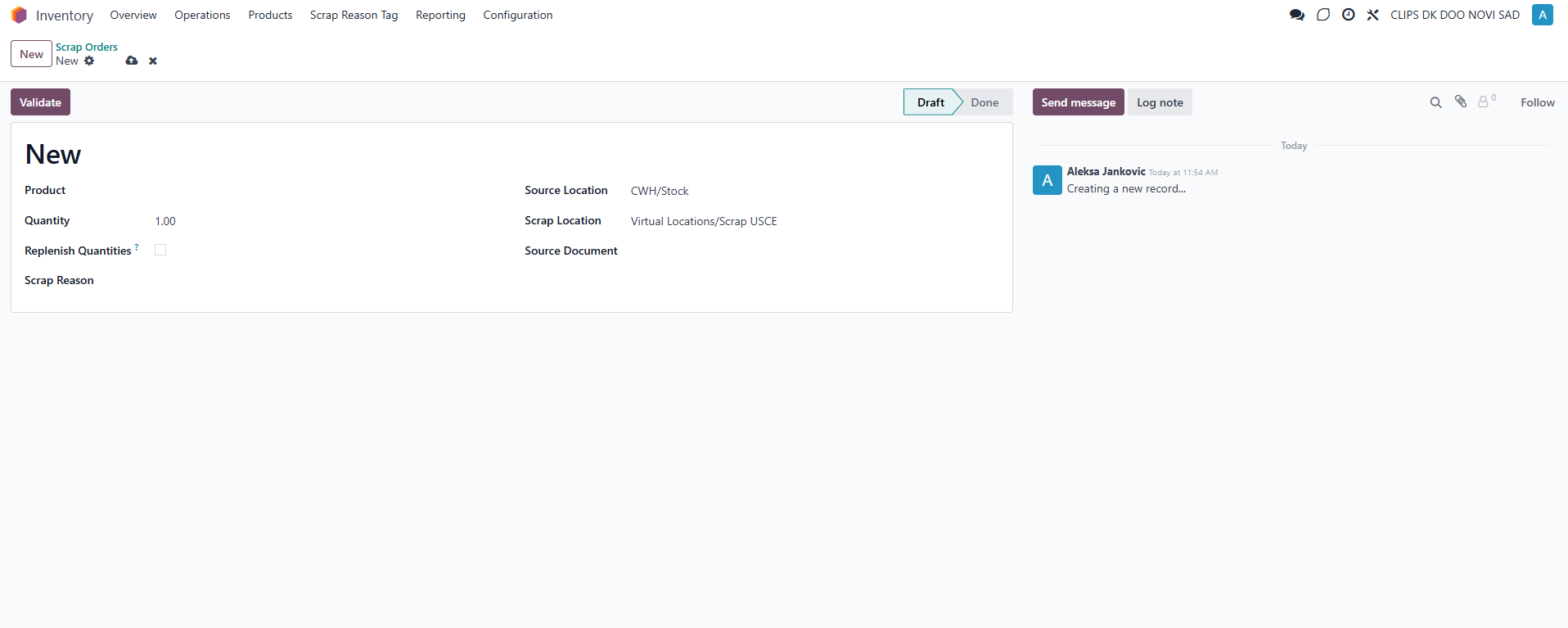
Then click on Save and Validate.
Was this article helpful?
That’s Great!
Thank you for your feedback
Sorry! We couldn't be helpful
Thank you for your feedback
Feedback sent
We appreciate your effort and will try to fix the article