• Izadjite iz MISPO
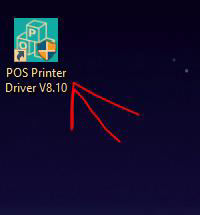
• Pokrenite sledecu aplikaciju : POS Printer Driver V8.10
• Kada se aplikacija otvori potrebno da kliknete Check USB Port:
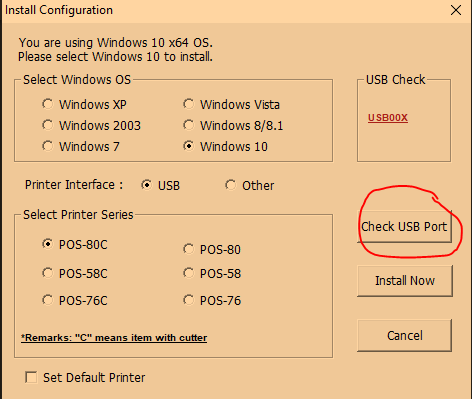
Printer ce odstampati Test Page
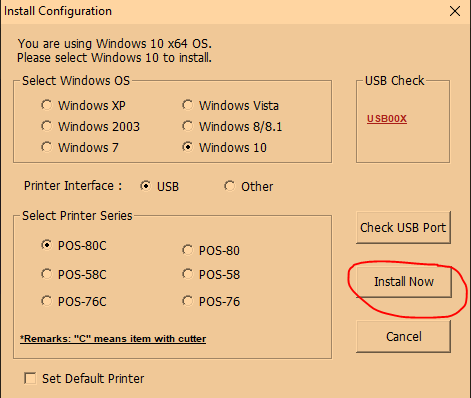
• Nakon ovoga klikom na Install Now, cete odstampati jos jedan Test Page
• Na kraju je potrebno pokrenuti MISPOS i odraditi stampu racuna.
Was this article helpful?
That’s Great!
Thank you for your feedback
Sorry! We couldn't be helpful
Thank you for your feedback
Feedback sent
We appreciate your effort and will try to fix the article